What's New in Zylo
Thank you for your submission!
Thank you for your submission!
Thank you for your submission!
Thank you for your submission!
Centralize visibility into Databricks consumption and spend
Now generally available: integrate Databricks with the Zylo platform to get visibility into your consumption and spend. You can now proactively monitor usage, set automated alerts for potential overages, and more accurately forecast for future renewals to eliminate surprise costs.
Key Benefits
- Proactive cost management: Monitor consumption to identify and address potential overage charges before they impact your budget.
- Accurate renewal forecasting: Use historical consumption data to make data-driven decisions for your next Databricks contract renewal.
- Centralized spend monitoring: View Databricks SKU, Usage Type, and Workspace usage alongside your other SaaS applications for a unified view of your consumption-based spend.
- Customized rate tracking: Leverage your organization's negotiated rates to ensure your spend tracking and burn-down reports reflect your actual costs.
- Automated burn-down reporting: Track your cost commitment progress automatically by adding contract details to your integration.

Learn more: Connect Databricks Integration
Optimize and forecast Anthropic API cost consumption
Now generally available: Connect the Anthropic API developer platform integration to get visibility into usage and costs through a direct integration with Zylo. By tracking consumption against your specific spend commitments, you can proactively monitor usage to prevent surprise overages and build a robust foundation for forecasting future AI investments.
Key Benefits
- Eliminate surprise payments: Use proactive alerting and monitoring to prevent unexpected overage charges from Anthropic's API.
- Accurate renewal forecasting: Track historical consumption data to better predict and budget for future Anthropic contract renewals.
- Centralized consumption visibility: View Anthropic API cost consumption broken down by workspace, model, service tier, and token type directly within Zylo.
- Right-size AI investments: Monitor actual consumption spend against annual commitments to optimize your AI financial strategy.
The Anthropic integration connects directly via an Admin API key to pull granular consumption data. Once connected, Zylo automatically monitors how your actual usage performs against your defined annual spend commitments, providing SKU-level insights.
Learn more: Configure the Anthropic integration
Centralize and track consumption spend across multiple instances of an application
Gain a unified view of your SaaS consumption by connecting multiple integration instances to a single contract commitment. This enhancement allows you to aggregate data from various accounts—such as multiple Databricks accounts or Snowflake organizations—into one view for the app in Zylo, providing spend tracking visibility against your contract structures.
Key Benefits
- Unified commitment tracking: Aggregate utilization from multiple app instances into a single spend commitment for an accurate view of your contract status.
- Granular cost attribution: Slice and dice data in the Cost tab to see exactly how individual tenants, instances, or accounts contribute to your total spend.
- Dynamic organizational mapping: The intuitive UI experience for adding app instances in Zylo uses labels that automatically update to match application terminology, such as "Tenants" for Microsoft or "Accounts" for Databricks.
- Resilient data monitoring: Maintain visibility even if one org connection fails; Zylo continues to update "Last Refresh" dates for successful connections while alerting you to specific failures.
- Streamlined troubleshooting: Identify and resolve connection errors faster with prioritized status alerts that surface critical issues at the top of your Integrations page.
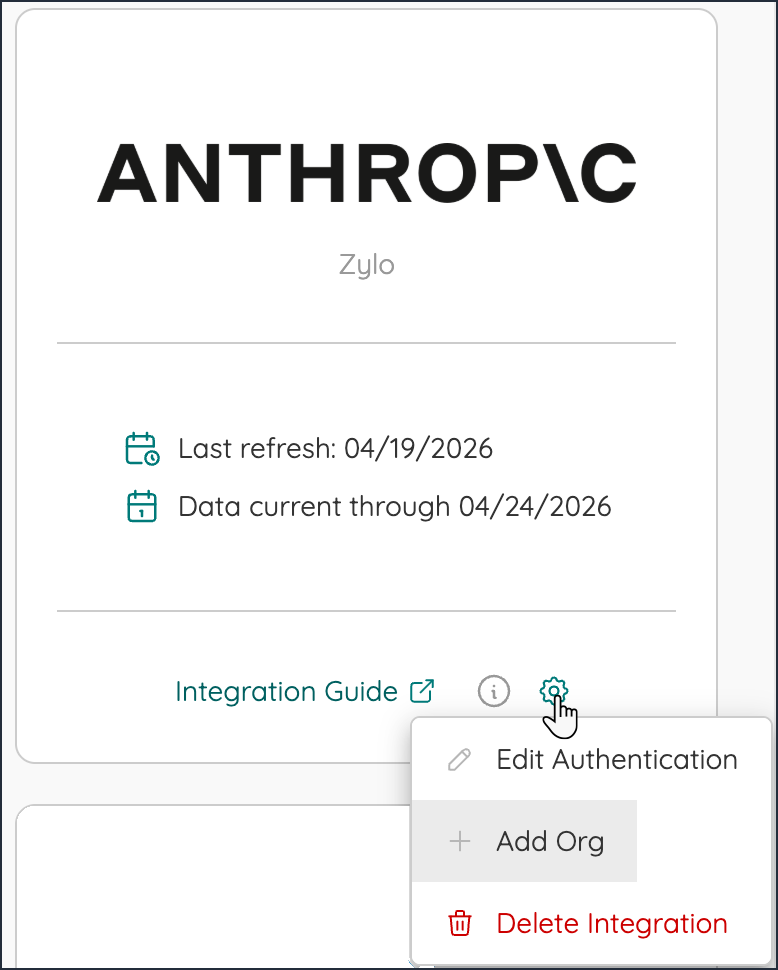
When adding a second connection for a consumption integration, you can now click Add Org from the connected app tile and select the option to map it to an existing app connection in Zylo.
Learn more: Consumption Integrations
Streamline contract management with Contract Assist Agent (Public Preview)
Gain instant visibility into your contract data by automatically parsing and extracting details from uploaded documents with the new Contract Assist Agent. You can now reduce manual entry and increase data accuracy by letting AI-powered tools identify critical contract details and add them directly into Zylo.
Important Note: This feature is not yet generally available and is currently available as a Public Preview for Customer use in its discretion. For more information, contact your Zylo representative.
Key Benefits
- Automated data extraction: Streamline management by automatically parsing contract details from uploaded PDFs.
- High data integrity: Use the guided confidence review to verify AI-extracted fields against the original document.
- Improved efficiency: Reduce manual data entry and speed up processing for up to 10 documents at once.
- Insightful AI reasoning: View the AI's reasoning for specific extractions to ensure absolute precision for complex formats.
- Centralized review process: Batch review multiple contracts in a single session to finalize records quickly.
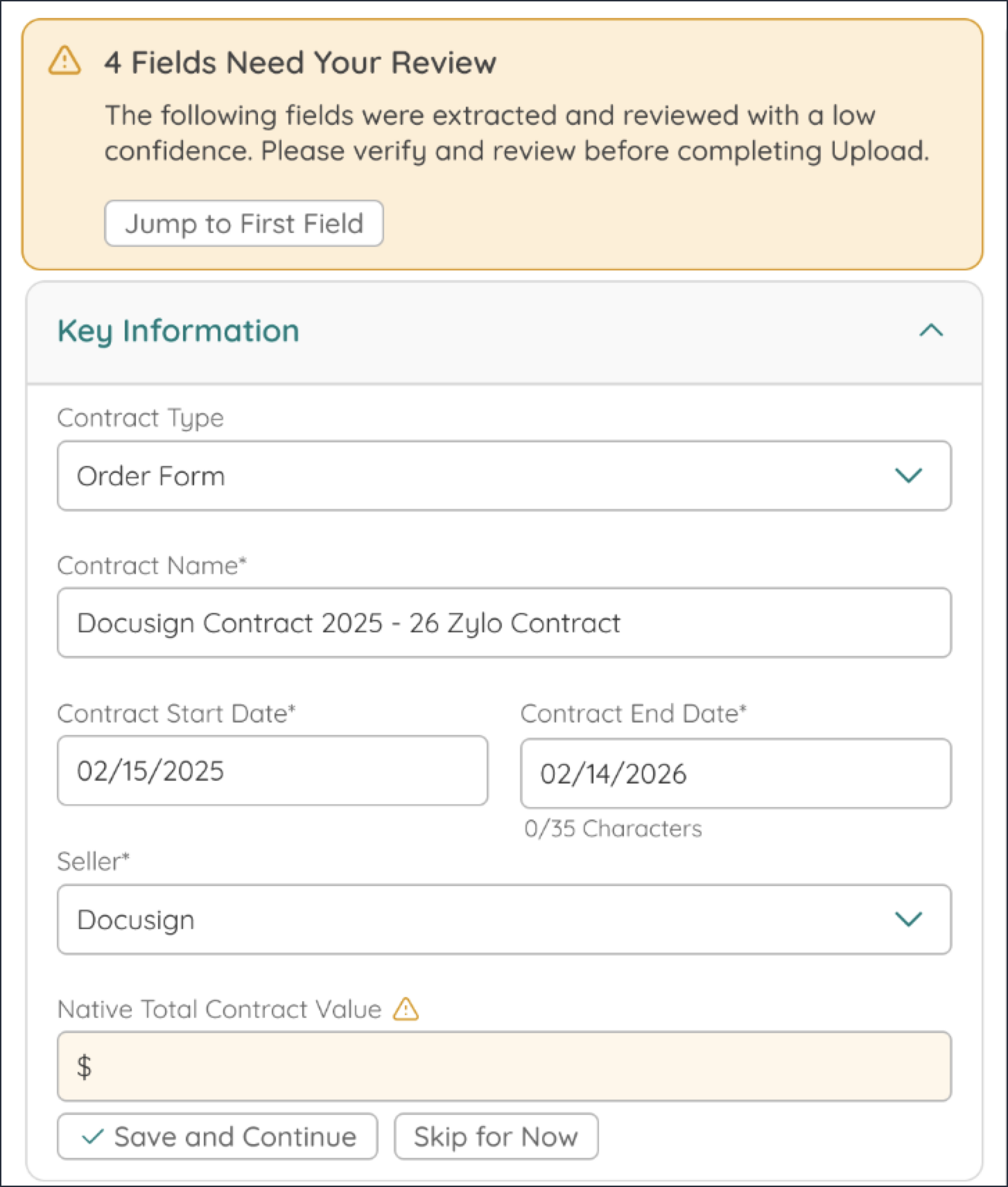
Learn more: Extract Contract Data with Contract Assist Agent
Gain centralized visibility into Vertex AI consumption and spend (Public Preview)
Manage your organization's Vertex AI usage and costs directly within Zylo through our new consumption-based integration. This integration provides the transparency needed to monitor spend commitments and receive proactive alerts before overages occur.
Important Note: This feature is not yet generally available and is currently available as a Public Preview for Customer use in its discretion. For more information, contact your Zylo representative.
Key Benefits
- Centralized consumption monitoring: View Vertex AI usage alongside your entire SaaS portfolio in a single dashboard.
- Proactive overage prevention: Receive automated alerts via email, Slack, or Teams when spend trends toward exceeding your commitment.
- Data-driven forecasting: Predict end-of-term spend based on historical usage patterns to inform future renewal negotiations.
- Granular cost attribution: Identify specific inputs and cost drivers to understand exactly what is contributing to your total spend.
- Accurate commitment tracking: Compare actual consumption against set contract terms and dollar commitments in real-time.

This integration securely connects to your Google Cloud BigQuery billing export via a service account. By querying a dedicated view of your Vertex AI costs, Zylo pulls detailed usage data into your platform for analysis and alerting.
Learn more: Configure the Vertex AI integration
Centralize visibility and forecasting for Snowflake consumption (Public Preview)
Gain near-real-time visibility into your Snowflake cloud data warehousing spend and consumption directly within Zylo. You can now monitor spend commitments and track usage across compute and storage levers to proactively identify and avoid unexpected overage charges.
Important Note: This feature is not yet generally available and is currently available as a Public Preview for Customer use in its discretion. For more information, contact your Zylo representative.
Key Benefits
- Proactive overage prevention: Set thresholds and receive alerts when costs approach your spend commitment to avoid expensive list-price charges.
- Granular consumption attribution: Allocate Snowflake usage to specific workloads, environments, or business units to drive accountability and implement chargebacks.
- Informed renewal negotiations: Compare actual usage against commitments to ensure you're pre-purchasing the right amount of capacity for your next term.
- Centralized data access: Provide SAM and FinOps teams with near-real-time data in a single system of record without requiring direct access to Snowflake.
- Cost optimization opportunities: Identify drivers of spend across warehouses and regions to right-size your Snowflake footprint.
Connecting the integration requires generating an RSA key pair for JWT authentication and granting specific billing viewer roles to a Snowflake service account.
Learn more: Connect the Snowflake integration
Centralize visibility into Databricks consumption and spend (Public Preview)
Gain complete visibility into your Databricks consumption and spend directly within the Zylo platform. By integrating Databricks, you can now proactively monitor usage, set automated alerts for potential overages, and more accurately forecast for future renewals to eliminate surprise costs.
Important Note: This feature is not yet generally available and is currently available as a Public Preview for Customer use in its discretion. For more information, contact your Zylo representative.
Key Benefits
- Proactive cost management: Monitor consumption to identify and address potential overage charges before they impact your budget.
- Accurate renewal forecasting: Use historical consumption data to make data-driven decisions for your next Databricks contract renewal.
- Centralized spend monitoring: View Databricks SKU, Cloud, Usage Type, and Workspace usage alongside your other SaaS applications for a unified view of your consumption-based spend.
- Customized rate tracking: Leverage your organization's negotiated rates to ensure your spend tracking and burn-down reports reflect your actual costs.
- Automated burn-down reporting: Track your cost commitment progress automatically by adding contract details to your integration.
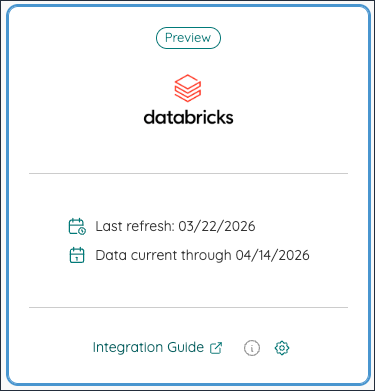
Learn more: Connect the Databricks integration
Gain cross-workspace visibility with the Slack Utilization integration
Gain better visibility into your Slack usage with the Slack Utilization integration, now enhanced for Enterprise Slack plans. This updated integration solves data gaps for organizations on the Enterprise Grid by centralizing activity data from all workspaces into a single view within Zylo.
Key Benefits
- Centralized Enterprise Grid visibility: Monitor total user activity and footprint across your entire Slack Enterprise Organization in one place.
- Reliable usage data: Access last-activity dates across all user agents, including desktop, web, and mobile.
- Effective license positioning: Identify the exact number of paid licenses needed by viewing account types and active status across all workspaces.
- Improved security posture: Identify inactive single or multi-channel guests who no longer require access to your environment.
- Simplified administration: Connect a single integration to capture data from your entire Enterprise Grid rather than managing multiple workspace connections.
The Slack Utilization integration uses Slack's specialized admin scopes to fetch comprehensive data, including account types, workspace memberships, and last activity dates. This data is automatically mapped to Zylo's license management workflows.
Learn more: Connect the Slack Enterprise integration
Predict upcoming renewals with automated date estimates
Gain visibility into your upcoming SaaS renewals even when contracts haven't been uploaded to Zylo. By utilizing standardized, logic-based estimates derived from historical payment data and expired agreements, you can now prioritize renewal opportunities and capture cost savings at the most impactful moment.
Key Benefits
- Proactive renewal planning: Identify applications approaching renewal without manual tracking or external tools.
- Data-driven prioritization: Surface high-value renewal opportunities based on reliable spend and contract patterns.
- Transparent calculation logic: Hover over any estimated date to see exactly how it was calculated, from expired contract extensions to AP transaction history.
- Improved data accuracy: Set custom net payment terms at the account level to ensure your estimates reflect your organization's actual financial cycles.
- Seamless data verification: Easily replace estimates with verified data by clicking the direct "Add Contract Details" option.
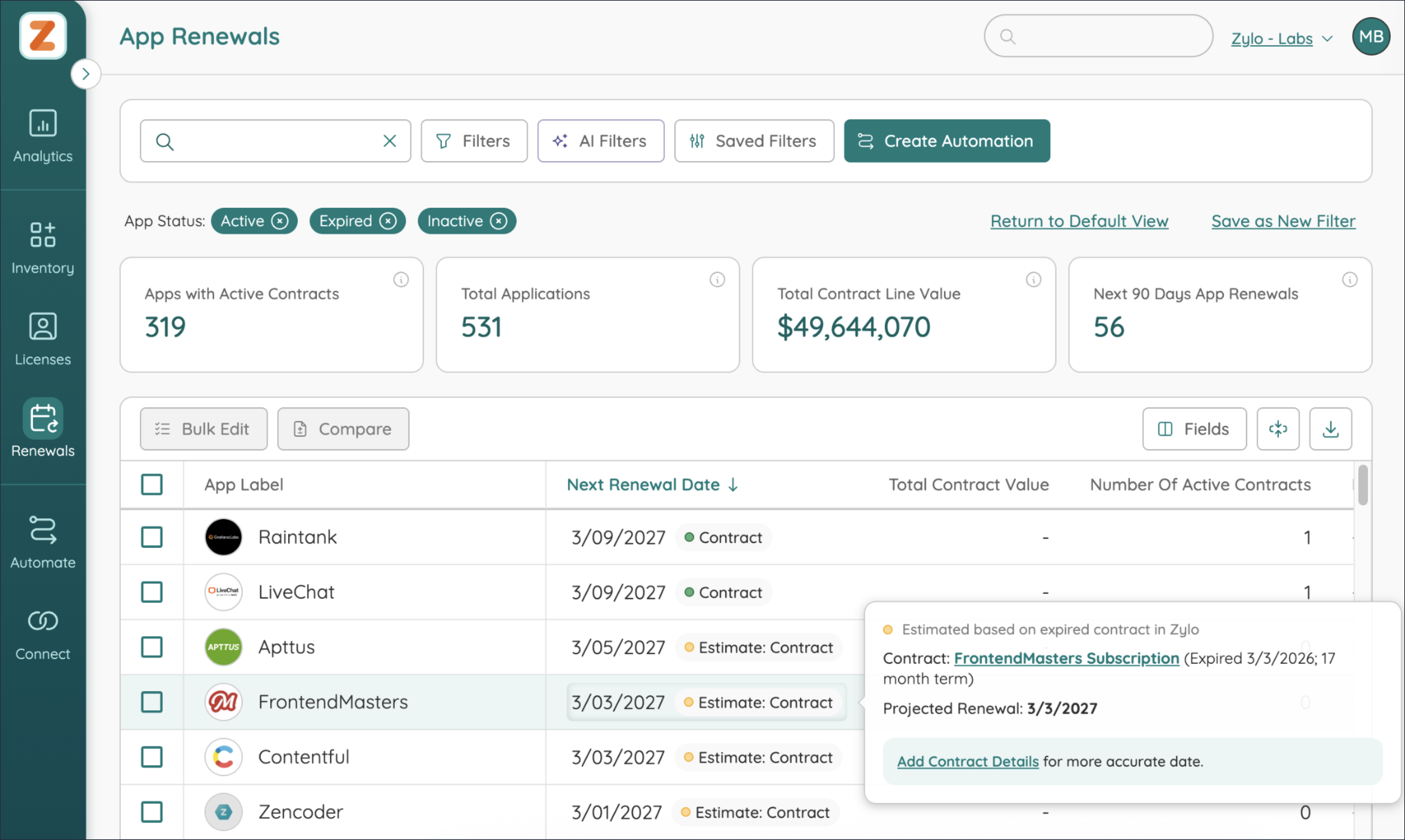
Zylo uses a prioritized logic-based approach to determine an estimated renewal date, automatically checking for future contract dates, recent contract expirations, and the largest historical AP transactions adjusted for your specific net payment terms.
Learn more: Manage Estimated Renewal Dates
Scale AI consumption visibility with OpenAI — now generally available
Now generally available: take control of your AI spend with the OpenAI API integration. This direct integration provides the centralized visibility IT, SAM, and FinOps teams need to track OpenAI API cost consumption against contractual spend commitments. Now you can monitor real-time usage to prevent overages and accurately forecast future AI investments.
Key Benefits
- Eliminate surprise overages: Use proactive alerting to monitor costs in real-time and receive notifications before you exceed your OpenAI API spend commitments.
- Granular SKU-level insights: Drill down into consumption by SKU (including models like GPT-4o and DALL-E) to understand exactly what is driving your AI costs.
- Data-driven renewal strategies: Access reliable historical consumption patterns to strengthen your position during contract negotiations and right-size future AI investments.
- Centralized consumption tracking: View total accrued costs and usage records across all projects and workspaces in one unified dashboard.
- Automated commitment monitoring: Automatically compare actual usage against your defined annual spend commitments to ensure you remain within budget.
This integration connects directly via Admin API key to pull historical and real-time consumption data. After connecting, use Zylo's consumption automations to create customized alerts based on the percentage of your commitment consumed.
Learn more: Configure the OpenAI integration
Track Employee Utilization Accurately with Email Alias Support (Public Preview)
Associate multiple email addresses with a single employee record to ensure accurate utilization tracking and spend attribution across your organization. This capability helps you maintain data integrity by rolling up activity from multiple addresses—such as those from acquisitions or legacy domains—to one unique employee identifier.
Important Note: This feature is not yet generally available and is currently available as a Public Preview for Customer use in its discretion. For more information, contact your Zylo representative.
Key Benefits
- Accurate user counts: Ensure unique provisioned and active user counts reflect actual employees rather than duplicate email addresses.
- Improved utilization tracking: Track all activity across multiple email addresses and roll it up to a single employee for comprehensive utilization insights.
- Better spend attribution: Associate costs across all email aliases to the correct employee for accurate spend analysis.
- Duplicate user detection: Identify when the same employee is accessing an application with multiple email addresses to find consolidation opportunities.
- Flexible communication: Choose whether to send workflow surveys to an employee's login email, their primary email, or both.
- Reliable automations: Ensure Slack and Teams notifications reach the intended recipient by automatically matching aliases to messaging account IDs.
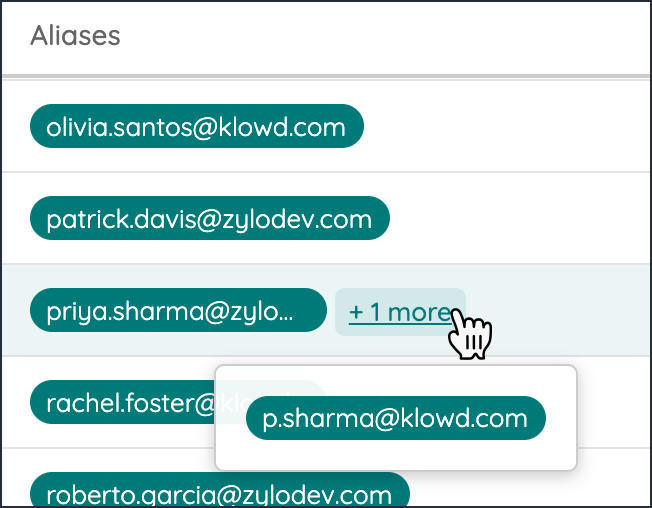
By importing an "Alias" column in your Zylo HRIS data with comma-separated emails, you map multiple addresses to one employee record. Zylo deduplicates these, assigning a unique employee identifier and ensuring all linked application usage, licenses, and spend are correctly attributed to that employee.
Learn more: Configure Enterprise Email Alias Support
Centralize and monitor OpenAI API consumption (Public Preview)
Track OpenAI API cost consumption directly against your spend commitments in Zylo. Connect the OpenAI integration to unlock comprehensive monitoring, alerting, and forecasting. Gain a centralized view of your AI footprint by identifying exactly which models are being used and how those costs interact with your contractual agreements to prevent overspending.
Important Note: This feature is not yet generally available and is currently available as a Public Preview for Customer use in its discretion. For more information, contact your Zylo representative.
Key Benefits
- Real-time commitment tracking: Monitor current costs accrued in your contract term compared to your total OpenAI spend commitment.
- Granular cost visibility: Drill down into spend by SKU, including specific models like GPT-4o and DALL-E, and roll up data by project or input/output type.
- Proactive spend management: Use consumption automations to receive alerts when usage hits specific thresholds, helping you avoid unexpected overages.
- Data-driven renewals: Gather precise usage data points to strengthen your position during upcoming OpenAI contract negotiations.
Connect your OpenAI API developer platform integration with Zylo in minutes to unlock historical consumption data. Then create and customize automated alerts, and monitor usage data to help your organization stay ahead of consumption spend.
Learn more: Configure the OpenAI integration