What's New in Zylo
Thank you for your submission!
Thank you for your submission!
Thank you for your submission!
Thank you for your submission!
Find Applications, Vendors, and Contracts with Smarter Search
You can now search for applications, vendors, and contracts from one place, using the search box in the global header or the Ctrl+K shortcut (Command+K on Mac). With this expanded search functionality, you can go straight to the record you need without clicking through pages or remembering which table it lives in.
Key Benefits
- Find what you need in one search: Look up applications, vendors, and contracts together instead of searching each page separately.
- Results that respect your access: See only the records your permissions allow, so search stays consistent with the rest of Zylo.
- Active records first: Active applications, vendors, and contracts appear above canceled ones, so current records are easy to spot.
- Confirm the right contract at a glance: Contract results show the start date, end date, and contract number, which helps you tell similar contracts apart.
- Move from a quick look to the full list: When a search returns more than five results, jump to a filtered page that shows all of them.
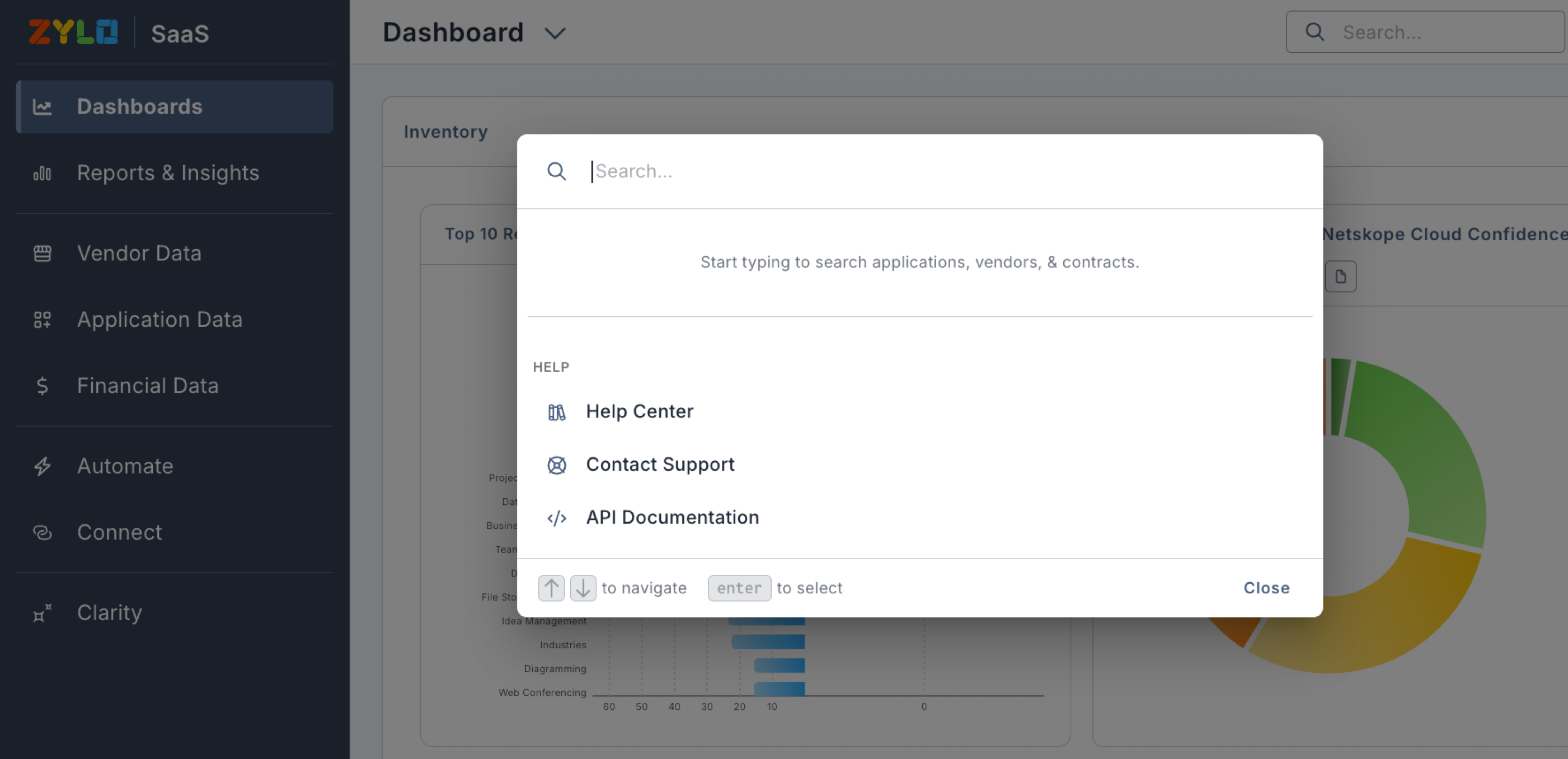
Learn more: Zylo 101: Navigation Overview
Now Generally Available: Clarity Expands to Workflows, Automations, and More
Clarity, Zylo's native AI companion, is now generally available to every Zylo user. You can ask Clarity natural language questions about your SaaS spend, usage, and license data, and now take action directly from the conversation—creating workflows, running automations, updating custom fields—as access permits and without leaving the chat.
Key Benefits
- AI access for everyone: Clarity is now available on every tier (Core, Premium, and Enterprise) so every organization can opt into Zylo's flagship AI experience.
- Take action without leaving the chat: Query data, create workflows, run automations, update custom fields, and more directly from a Clarity conversation as your access permits.
- Sensible defaults, admin control: Admins get Edit access automatically, while other users start with View access. Admins can adjust individual users to View or Edit permissions, or to disable Clarity entirely.
- One data layer, three ways in: The same read and write capabilities are available in Clarity's chat, through your own AI assistant connected via the Zylo MCP Server, or directly through the Zylo Enterprise API, depending on your product tier
- Company-specific context, remembered: Admins can set company-wide context once—your industry, priorities, or terminology—so Clarity's answers reflect how your organization actually works, in every conversation.
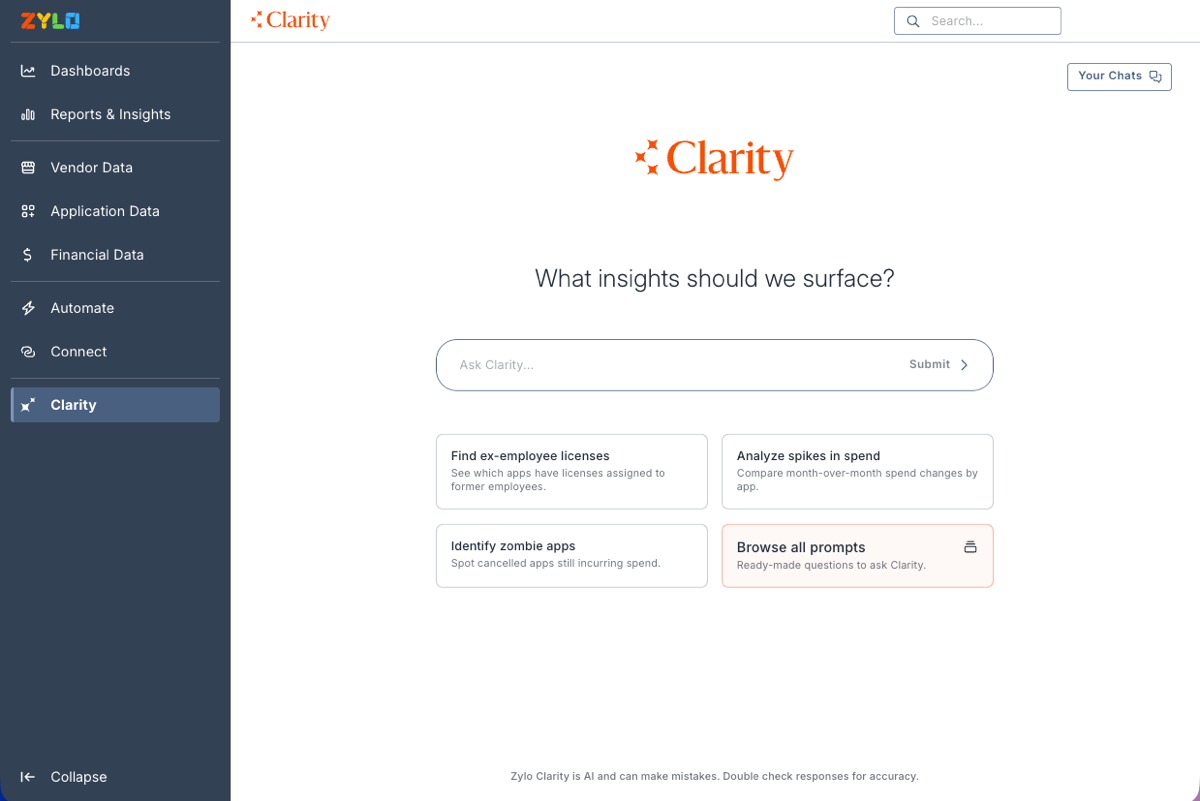
To give your organization access to use Clarity, navigate to Admin > AI Controls and enable In-App Chat. From that screen, you can also add AI Company Context by providing background context that the Clarity in-app chat and MCP features can reference when generating responses. Every action taken through Clarity or MCP is still recorded to Activity History with the acting user's identity, so nothing changes about auditability.
Learn more: Clarity
Legacy API Sunset: What to Do Before October 6
The Zylo Legacy API (version 1.0) will reach End of Life and be retired on October 6, 2026. In order to avoid disruption, migrate any automation using the Legacy API to the Zylo Enterprise API before that date. The Enterprise API reaches a broader set of Zylo data and stays under active development, so this is also an opportunity to pick up capabilities the Legacy API never had.
Key Benefits of the Enterprise API
- Broader resource access: Reach Applications, Contracts, Payments, Purchase Orders, and Application Users through one API, instead of the narrower set of resources the Legacy API exposed.
- Read and write in one place: Pull Zylo data into your IT service management (ITSM), financial, security, and business intelligence (BI) tools, and write data back to Zylo to keep both sides in sync.
- Modern authentication options: Authenticate with API keys or OAuth2 (including client credentials and JWT Bearer tokens), with granular, permission-based access down to the individual token.
- Usage data import at every tier: Import usage data into Zylo through the API regardless of your package tier, so this workflow keeps working after the Legacy API retires.
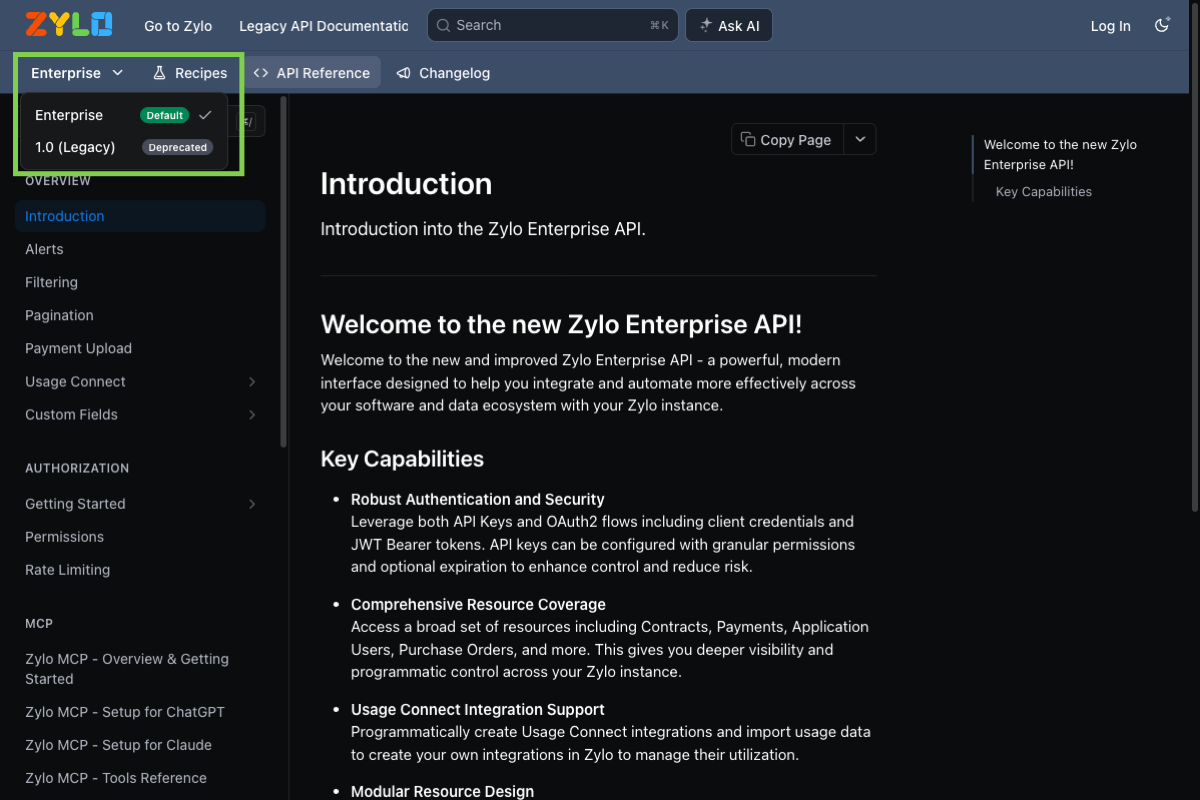
The Legacy API is Zylo's original API surface, still reachable today from the version dropdown in the developer documentation. It is not a drop-in replacement for the Enterprise API—endpoint paths, authentication, and available resources all differ—so treat this as a migration project, not a credential swap. Start by reviewing which of your integrations still point at Legacy API endpoints, then rebuild those calls against the equivalent Enterprise API resources. Full endpoint reference, authentication setup, and request examples are available in the Zylo developer documentation.
Learn more: Zylo Enterprise API
Preview: Anthropic Integration Now Covers Claude Enterprise Usage
You can now track Claude Enterprise usage—Chat, Claude Code, and Cowork—directly in Zylo, broken down by actor, department, and product. This extends the existing Anthropic API integration, giving you a single, unified view of Anthropic spend across both developer platform usage and Claude Enterprise adoption. Department-level attribution is joined against your organization's Employee Roster already in Zylo, so no separate data mapping is required.
Important Note: This feature is not yet a generally available Service and is instead currently available as a Public Preview for Customer use in its discretion. For more information, contact your Zylo representative. Learn more about joining the preview.
Key Benefits
- Unified Anthropic spend visibility: See developer platform and Claude Enterprise costs in one place instead of piecing together two separate views
- Person- and team-level attribution: Break down Claude Enterprise usage by actor and department to see exactly who and which teams are driving cost
- Product-level detail: Distinguish spend and usage across Claude Code, Cowork, and Chat to understand how each surface is being adopted
- No extra setup for department mapping: Zylo joins Claude Enterprise usage against your existing Employee Roster automatically, with no manual mapping required
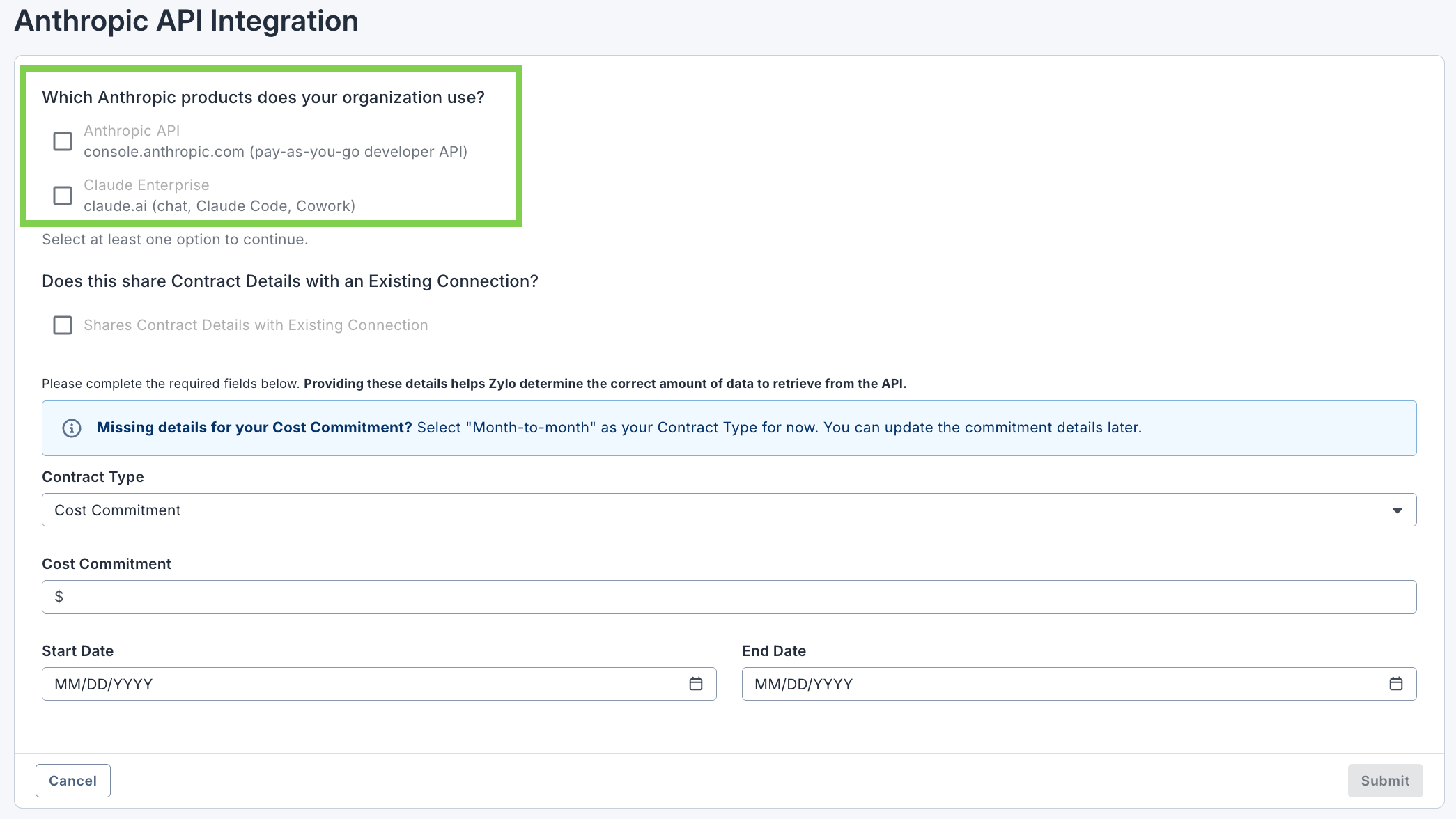
The Anthropic integration now supports two independent credentials: an Admin API key for Anthropic API cost data, and an Analytics API key for Claude Enterprise usage and cost data. Connect one or both, depending on which Anthropic products your organization uses. Anthropic provides Claude Enterprise usage and cost data starting as far back as January 1, 2026 (depending on your usage start date) and requires public API access enabled in your Claude Enterprise organization.
Learn more: Anthropic Integration
Export App Mapping Data Directly From Integrations
You can now export a CSV of app mapping data directly from the mapping screen for Okta, Microsoft Entra ID, Google SSO, Ping, and Adobe integrations. The export lists every application that is currently mapped through the integration, paired with the Zylo application record it maps to, so you can confirm mappings are correct without leaving the screen where you manage them. This replaces filing a support ticket or checking the mapping report in Reports & Insights, which today only covers Entra ID and Okta.
Key Benefits
- Answers in seconds, not tickets: Download a mapping export from the integration's own mapping screen instead of asking Support for a report.
- One export, right where the data lives: Export directly from the mapping modal for Okta, Entra ID, Google SSO, Ping, or Adobe, instead of visiting a separate reporting area.
- Every mapped app, one Zylo record: Pair each mapped application in your identity provider or suite with the Zylo application it maps to, so mismatches are easy to spot.
- Useful across access reviews and cleanup: Use the export to support access reviews, clean up stale integration mappings, or build a case for cutting a redundant application.
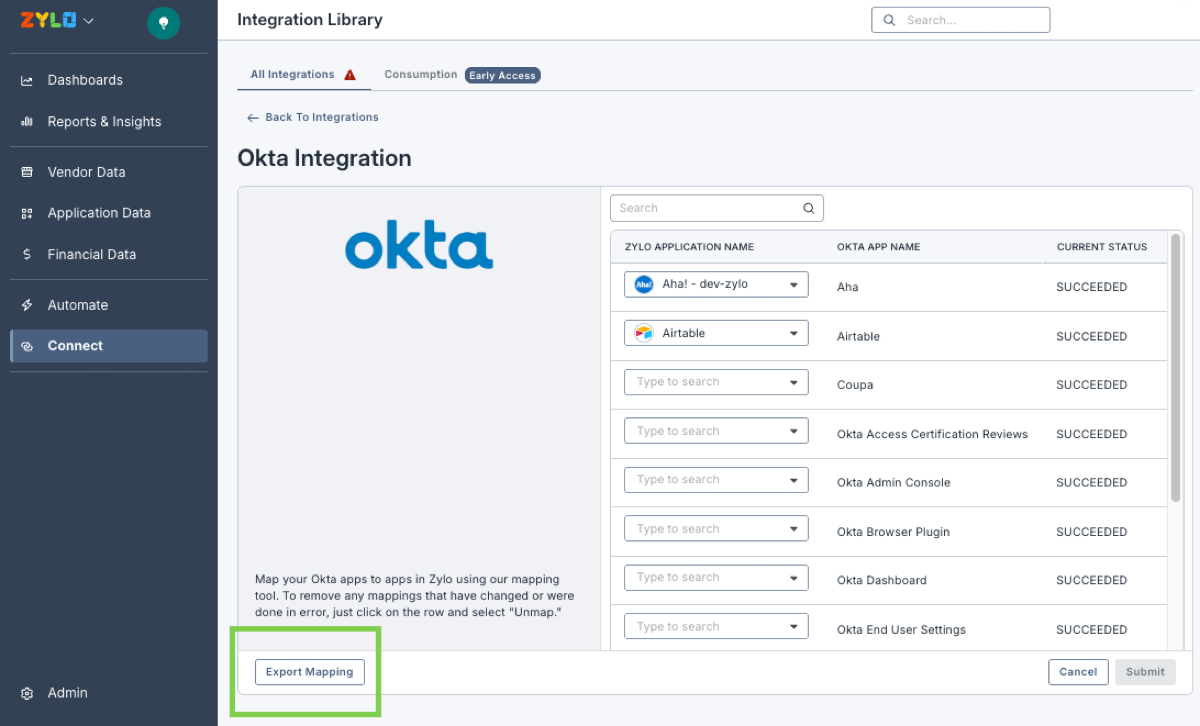
The Export Mapping button appears next to Submit and Cancel in the mapping screen for Okta, Microsoft Entra ID, Google SSO, Ping, and Adobe integrations. The exported CSV includes every actively mapped application, along with its Zylo application ID and label, and its identity provider or suite app name, label, and ID. For Okta, Entra ID, Google SSO, and Ping, each row also includes the sign-on mode and the date the application was created in that provider. No other integration types have this option yet.
Learn more: Review Mapping for SSO Integrations
Audit Every Change in Zylo with Activity History
You can now see a complete, timestamped record of changes across your Zylo portfolio—who reassigned an application's business owner, edited a contract, or updated a field, and what each value was before. Activity History standardizes change events across Zylo objects into one filterable audit trail, available both globally in Admin and through API queries. Every event is attributed to a specific actor—a user, an integration, or an AI agent—so changes stay traceable no matter how they were triggered.
Key Benefits
- Answer "who changed this, and when": Trace every change to a named actor with a timestamp and the previous and new values, without keeping records outside Zylo.
- Accountability across multi-admin teams: Tell intentional updates apart from accidental overwrites when several administrators manage your SaaS data.
- Audit and compliance readiness: Give IT and InfoSec a traceable change history to satisfy internal and external audits.
- Governed automation and AI: See whether a change came from a person, an integration, or an AI agent acting through a token, so automated and AI-driven actions carry the same accountability as human ones.
- Access it in Zylo or through the API: Review changes in one portfolio-wide view, or query them through Zylo's Enterprise API to feed your own security and log systems.
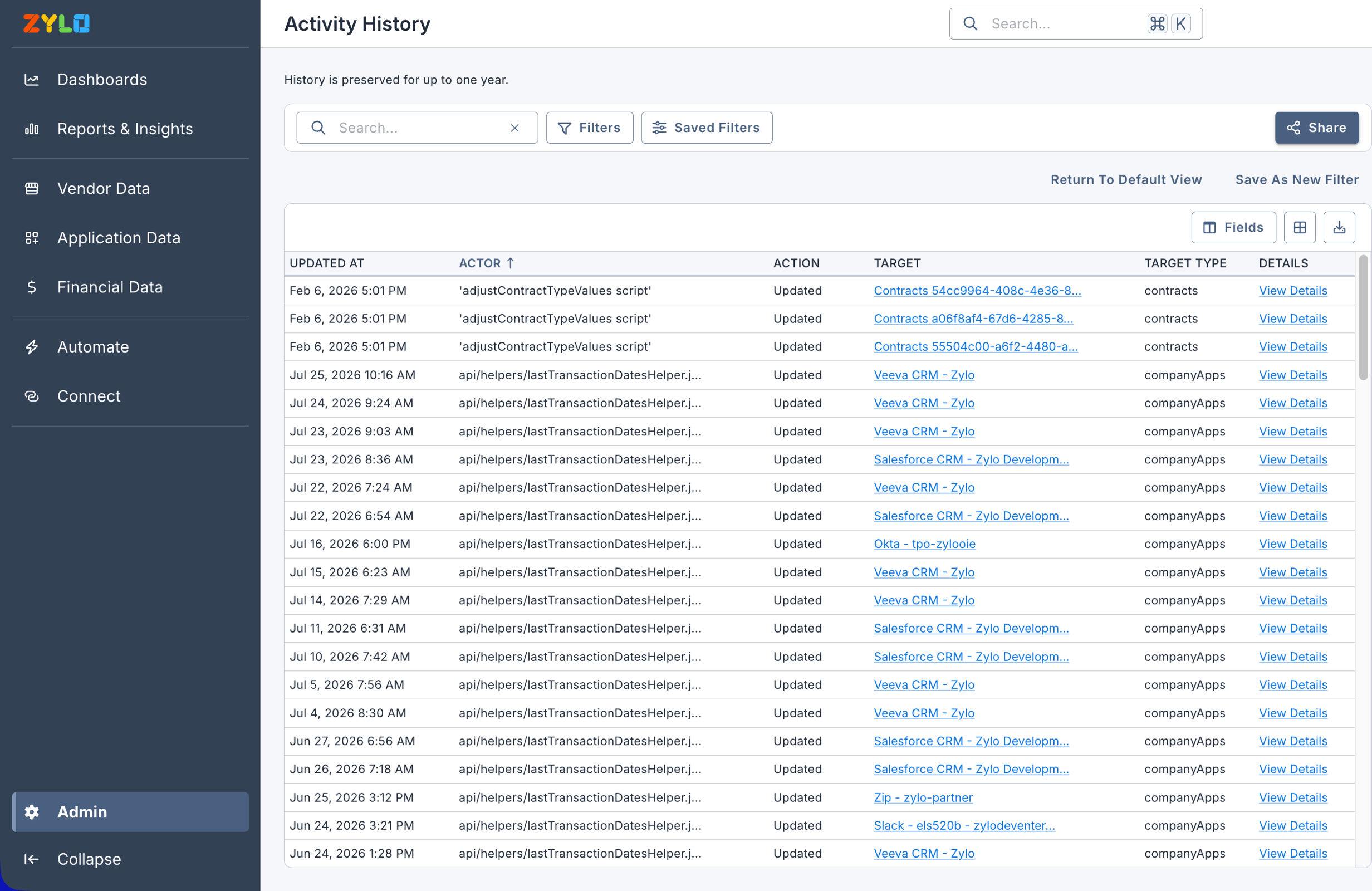
Activity History captures each change under a consistent Actor-Action-Target-Details model: the actor who made the change, the action taken, the target object affected, and the details of what changed, along with a timestamp. You can filter the history by object type, actor, action, and date range, and export the results. Governance and security teams can also query audit events through Zylo's Enterprise API to stream change history into external security and log-aggregation systems.
Learn more: Activity History
Prioritize License Savings with App Pricing Model
You can now view Pricing Model information for applications directly in Zylo to see how each application bills—User/Seat, Platform, Consumption, or a combination. View the Pricing Model on the Savings Pipeline table (previously known as App Renewals in Zylo). Sort the column to instantly surface your seat-based applications, where reclaiming unused licenses drives real savings, and set aside platform-priced apps where license optimization will not reduce cost. Zylo identifies each application's pricing model from its contract data and AI, giving you insights directly in Zylo instead of manual research in outside tools.
Key Benefits
- Focus on the apps that will actually save money: Direct your renewal and reclamation effort toward seat-based apps, and skip platform-priced apps where optimization will not lower cost.
- Replace manual research with a source of truth: Stop exporting app lists to external services or searching vendor sites to work out how each application is licensed.
- Move faster ahead of renewals: Sort your portfolio by pricing model to build a savings roadmap in minutes instead of weeks.
- Scale across a large portfolio Classify hundreds of applications at once, so the license model is known for every app, not just the ones you have time to research.
- Act on it with confidence See the source behind each value—AI or Zylo Verified—and the reasoning Zylo used to classify it.
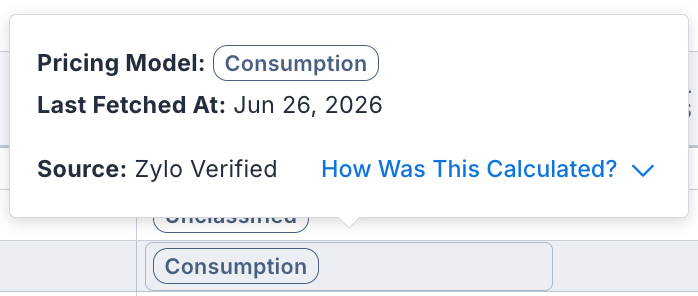
As part of this release, the App Renewals page is now the Savings Pipeline page–refreshed to provide a default view for contract renewals in the next 12 months with cost savings opportunities, pricing model, percent of active users, and usage source fields. The Savings Pipeline page also includes a new Apps with Usage Opportunity aggregate card, surfacing apps where the Percent Active Users is below 80%. Navigate to Vendor Data > Savings Pipeline to review the Pricing Model data in the application table with tags on each application by how it is licensed: User/Seat for apps licensed per user or seat, Platform for apps priced as a flat platform or capacity fee, and Consumption for apps billed on usage. An application can carry more than one tag when it bills in multiple ways, and apps with unclear pricing models appear as Unclassified. You can also add the Pricing Model field to the Applications and Usage page tables.
Learn more: Savings Pipeline
Custom Fields Expanded to Contracts, Payments, and Users
You can now add custom fields to contracts, payments, and users—not just applications—to track the company-specific data that matters most without falling back to manual tracking in spreadsheets or across multiple systems. Choose the object a field applies to, use the field types you need, including multi-select dropdowns, and manage everything from a redesigned Custom Fields page in Admin. And because Zylo's MCP can read custom fields, you can query and act on that data conversationally.
Key Benefits
- Less time in spreadsheets: Capture company-specific data directly on contracts, payments, users, and applications instead of tracking it outside Zylo.
- The right data on more objects: Add custom fields where you need them, so records better reflect how your organization works.
- AI-ready with MCP: Query and update custom fields conversationally through Zylo's MCP—for example, flag a payment as reviewed or pull a list of contracts marked as key vendors.
- More flexible options: Enable multi-select dropdowns to capture more than one value in a single field.
- Easier management: The redesigned Custom Fields page includes an Object column for sorting, plus in-context help guides you as you build fields for each object.
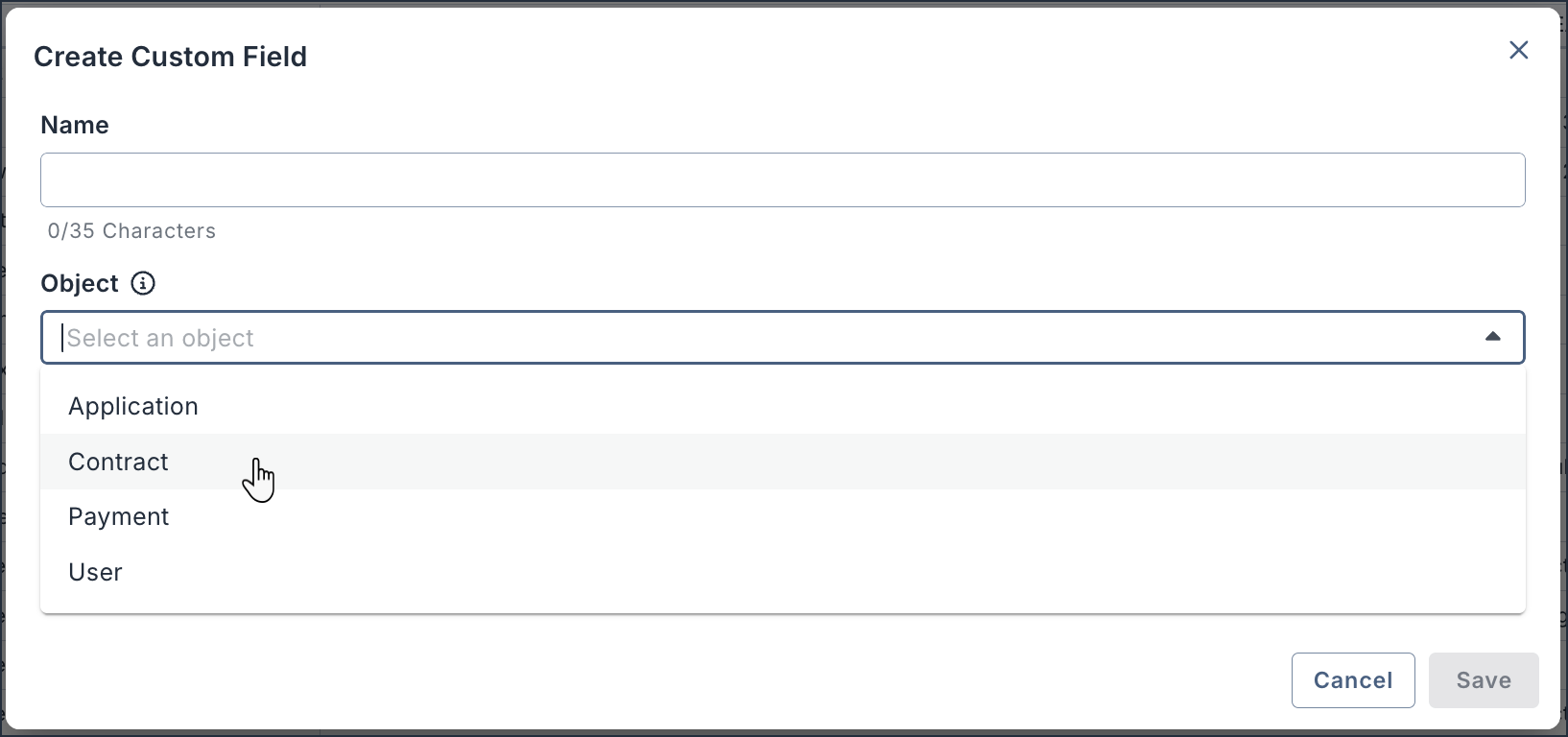
Custom fields now apply across multiple major Zylo objects, so you can adapt records to your own processes. For example, flag a suspicious payment as reviewed, mark a contract as a key vendor to stay ahead of critical renewals, or tag users as contractors to surface the cost of their licenses. Set the field types, dropdown options, display order, and visibility for each object from the Custom Fields page. For setup steps and the full list of field types, see the Custom Fields article.
Learn more: Custom Fields
Meet the Zylo Help Center
The Zylo knowledge base is now the Zylo Help Center—a single, trusted destination for product knowledge, support, and essential Zylo resources. Sign in with your Zylo credentials to browse hundreds of in-depth articles, ask questions with smart search from any page, and request or manage support tickets. A redesigned homepage and navigation make it easy to move from a broad category into the exact content you need. Plus, find featured articles on recent product releases and quickly upskill to maximize your SaaS management with Zylo.
Key Benefits
- One place for answers and help: Browse hundreds of in-depth product articles and reach the Zylo support team without leaving the Help Center
- A gateway to your Zylo resources: Jump to the product changelog, API documentation, blog, webinars, and more from one portal
- Redesigned navigation: Move from homepage categories into content sections quickly to find exactly what you need
- Smart search on every page: Ask a question in your own words or search for articles from anywhere in the Help Center
- Refreshed reading experience: Navigate articles with in-page navigation or download the entire article as a PDF or markdown file
- Support at your fingertips: Request help and track your existing tickets alongside knowledge you are already using
- Secure, client-only access: Sign in with your Zylo credentials for content made for Zylo clients
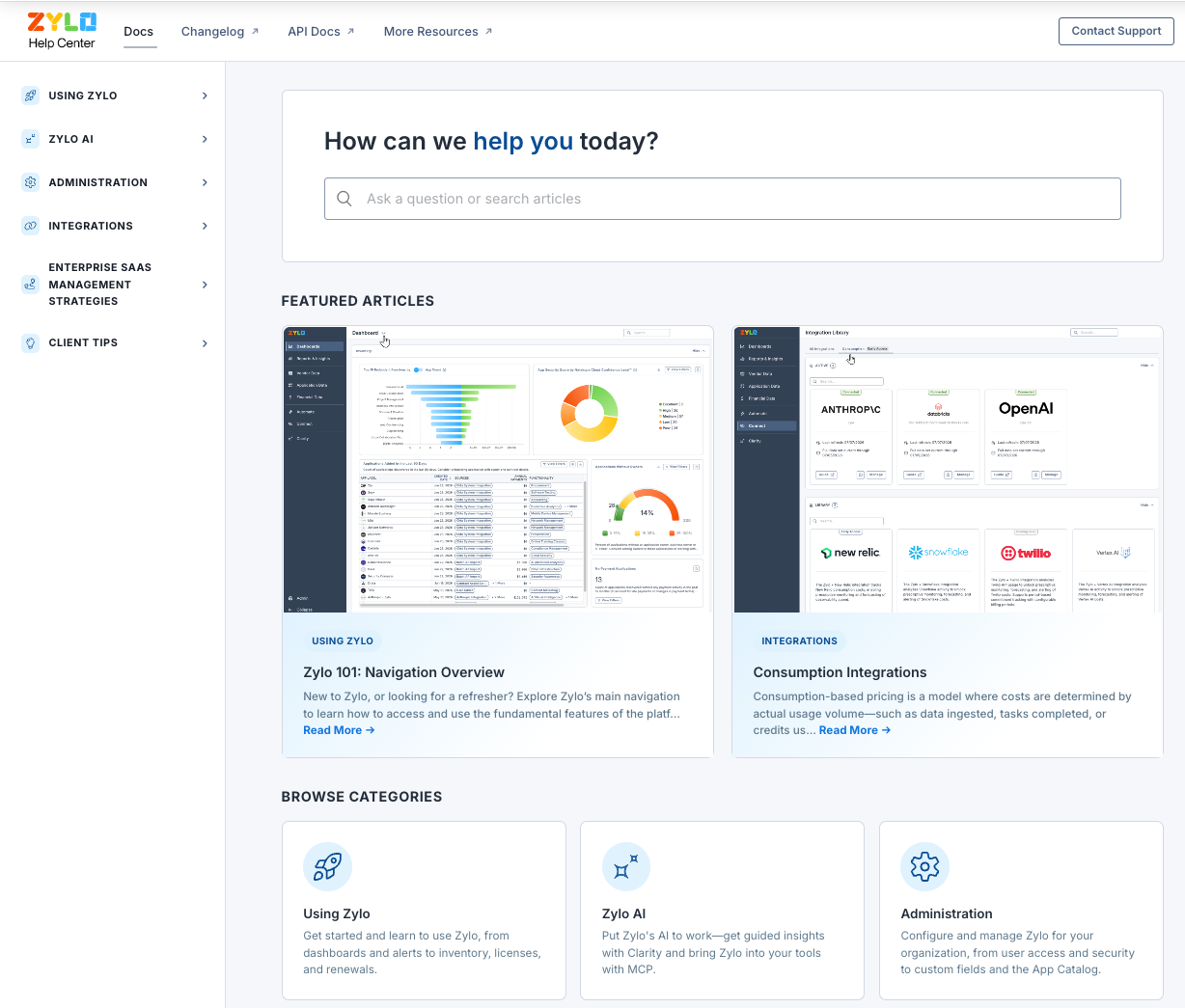
You can access the Zylo Help Center directly in the Zylo app by clicking on Help Center from your profile icon menu.
Learn more: Visit the Zylo Help Center
Now generally available: Bring Zylo data into your existing AI workflows with MCP
Connect your choice of external AI assistants directly to your software portfolio data using the Zylo Model Context Protocol (MCP) Server–now generally available. This open-standard universal adapter allows technical teams to query SaaS applications, analyze department spend, and manage contracts using natural-language conversation within their existing workflows. By eliminating manual exports, scripting, and custom integrations, the MCP Server brings immediate, conversational speed-to-insight directly to your preferred AI clients.
Available in: Core (read only), Premium (read/write), Enterprise (read/write)
Key Benefits
- Flexible AI collaboration: Connect Zylo data directly to any MCP-compatible AI tool or LLM, such as Anthropic Claude, Google Gemini, and OpenAI ChatGPT.
- Natural-language portfolio actions: Use conversational requests to analyze spend, surface upcoming renewal risks, or create application budgets in minutes.
- Safe "Human-in-the-Loop" guardrails: Protect sensitive configuration data with mandatory, explicit user confirmations before any modifying or destructive action is executed.
- Granular enterprise security: Ensure data protection through TLS traffic, narrow permission scoping, and automatic adherence to your Zylo role settings.
- Tailored authentication methods: Choose between OAuth 2.0 with PKCE for interactive desktop environments or scoped API keys for automated headless workflows.
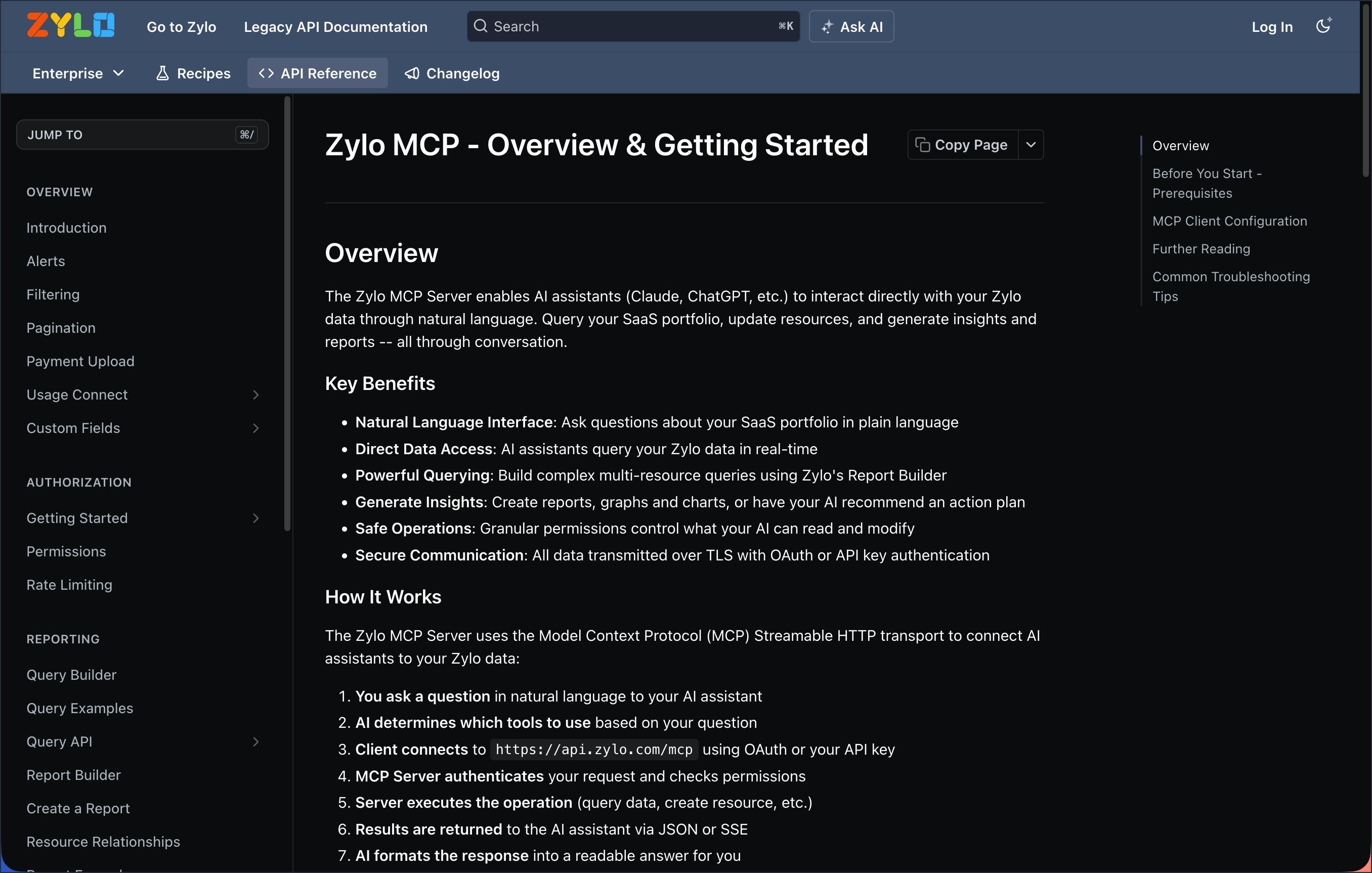
The Zylo MCP Server performs actions via the Zylo Enterprise API. When you submit a question, the MCP server maps the request to precise querying, resource management, or alerting tools to help models avoid hallucinations. All data queries and adjustments are governed by user permissions, requiring administrators to assign the designated MCP role before a session can be authorized.
Learn more: Zylo MCP Server | Get started with the Zylo MCP Server
Tailor Clarity and MCP responses with company context
You can now define persistent background context about your organization that is referenced when generating responses via Clarity’s in-app chat or via the MCP server. Admins set this company-wide context once—such as your industry, size, key business priorities, procurement policies, or naming conventions for cost centers—so responses reflect how your organization actually works. Because the context is saved at the company level, it carries across chat sessions instead of being lost when a conversation ends.
Important Note: This feature is not yet a generally available Service and is instead currently available as a Preview for Customer use in its discretion. For more information, contact your Zylo representative.
Key Benefits
- More relevant responses: Clarity and the MCP server tailor answers to your industry, priorities, and policies instead of relying on generic defaults
- Context that persists: Company context carries across chat sessions, so it isn’t lost when a conversation ends
- Set once, applied for everyone: Administrators define the context a single time and it applies across your organization
- Consistent context across your team: Every user's chats draw on the same shared understanding of your business
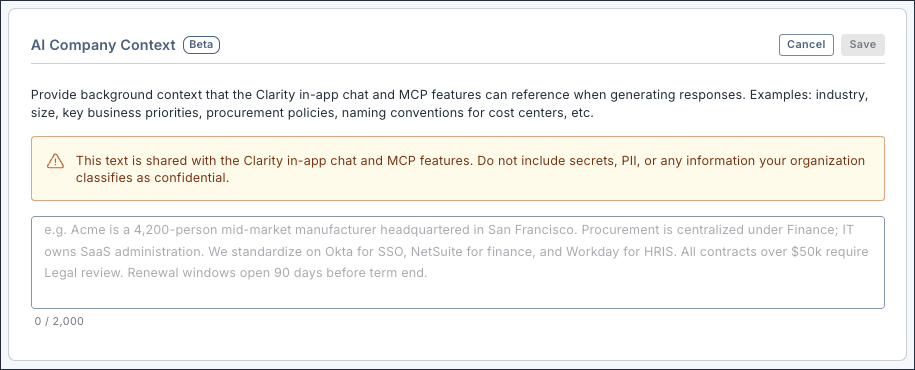
Navigate to Admin>Organization Settings >AI Controls to access the Company Context section. For the most reliable results, keep the context focused and concise—a short, high-signal summary of your organization works better than a long, detailed one. Update it as your business priorities or policies change so responses stay accurate via Clarity and the MCP server.
Learn more: Enterprise AI Controls
Faster, easier access to admin settings
You can now open Admin directly from the main left navigation pane, without going through the profile menu. Plus, Admin is reorganized into clear groups: Organization Settings, User Management, Configuration, Security & Integrations, Activity History, Dashboards, and App Catalog—so related controls are easier to find and use.
Key Benefits
- Faster access to Admin: Reach every administrative setting in one click from the left navigation pane instead of the profile menu
- Easier to find settings: Related controls are grouped into subsections, such as Organization Settings and User Management
- Clearer naming: Simpler labels such as User List, Cost Allocation, Application Statuses, and Workflow Suppression make destinations easier to scan
- Everything in one place: Global settings for Dashboards and App Catalog are now within Admin alongside your other administrative controls
- Dedicated AI Controls: AI governance settings now have their own destination under Organization Settings
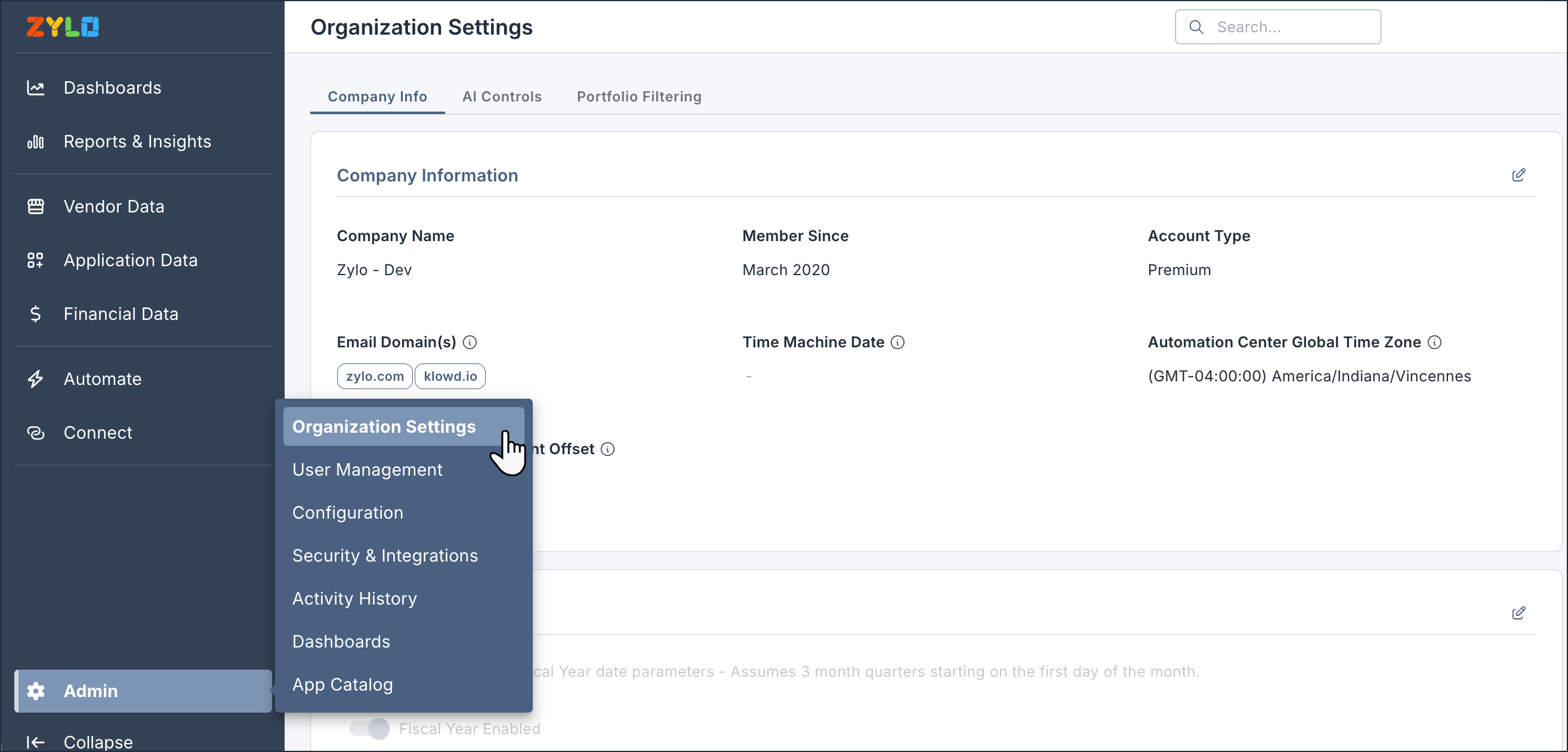
Check out the navigation changes
Admin moves from the profile menu to the main left navigation pane with these new subsections:
- Organization Settings: Update Company Info, AI Controls, and Portfolio Filtering
- User Management: Access and edit your Zylo User List and Views
- Configuration: Customize important global settings such as Custom Fields, Categorization, Application Statuses, Cost Allocation, and Workflow Suppression
- Security & Integrations: Configure SAML, Company Tokens, Connected Apps, and OAuth Sessions
- Activity History: Review a comprehensive history of events in Zylo
- Dashboards: Find and modify global dashboard settings
- App Catalog: Manage Applications, User Groups, and Settings for App Catalog
Learn more: Admin Menu Overview