Zylo Tips: Understanding Utilization 90 Days Ahead of Renewal with Usage Connect

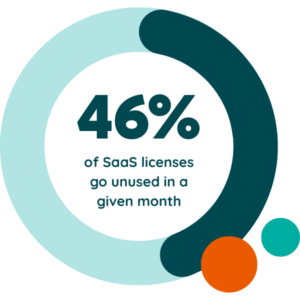
License waste runs rampant in the modern SaaS stack, with an average of 46% of provisioned licenses being unused on a monthly basis. The last thing you want to do is renew shelfware or buy more licenses than are being used. That’s why usage data is so critical to review 90 days ahead of a renewal.
By looking at an application’s usage far in advance, it gives you the opportunity to hit that best practice target of 90% licenses active and allocated. That way, you have a little buffer to account for new users who need an application. Take that usage data to your stakeholders and discuss needs for headcount growth or reduction in the coming year. If it's a business app, talk to those department heads. If it's an IT app, talk to the person who's managing that application. This discussion will help get that license quantity nice and tight.
How Do I See Usage Data in Zylo?
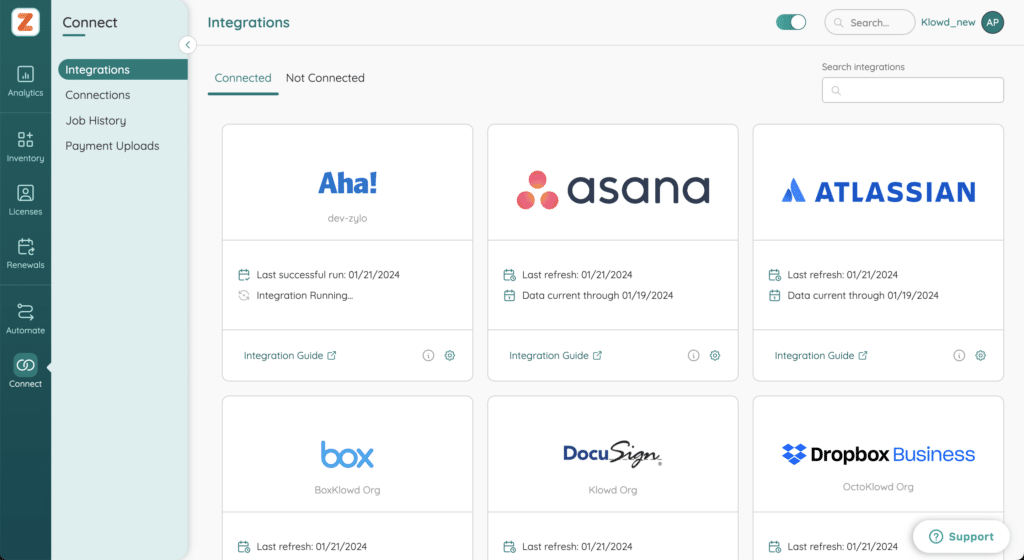
Zylo centralizes utilization for all of your usage-based applications using three integration options: direct integrations, single sign-on (SSO), and Usage Connect. Let’s take a look at each of them.
Direct Integrations
Direct integrations are one-to-one connections between Zylo and a SaaS application using an API, built and maintained by Zylo. Your first line of defense for getting usage data into Zylo is to use a direct integration. It's going to be set and forget, where you can set up that integration and, on a regular cadence (usually nightly, sometimes live), get a feed of data from that application. You don't have to think about refreshing and maintaining that information.
Single Sign-On (SSO)
Single sign-on is great, because it gives you a single connection into your SSO provider, which gets usage for many applications. It’s important to note, SSO has limitations in that it is not going to have license information. If you have a tool where there is a mix of free and paid licenses, or you need to know some of those licensing details that are associated with a given user, you might have some gaps in your data.
Usage Connect
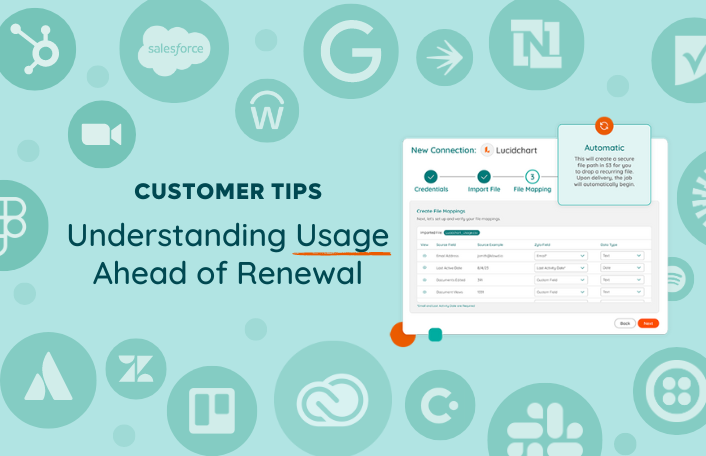
What if you want additional details or there are security limitations that prevent you from using a direct integration? That’s where Usage Connect comes in. Let's use Smartsheet as an example. Zylo has a direct integration, but you’d prefer to use Usage Connect. What's really important to know? Does this user have sheets that are being owned? Do they have sheets that are shared outside of their individual user? If not, that could make them a candidate for a free license? In this instance, you can pull data from your admin panel and upload it to Zylo with Usage Connect.
How Do I Use Usage Connect Before My Renewal?
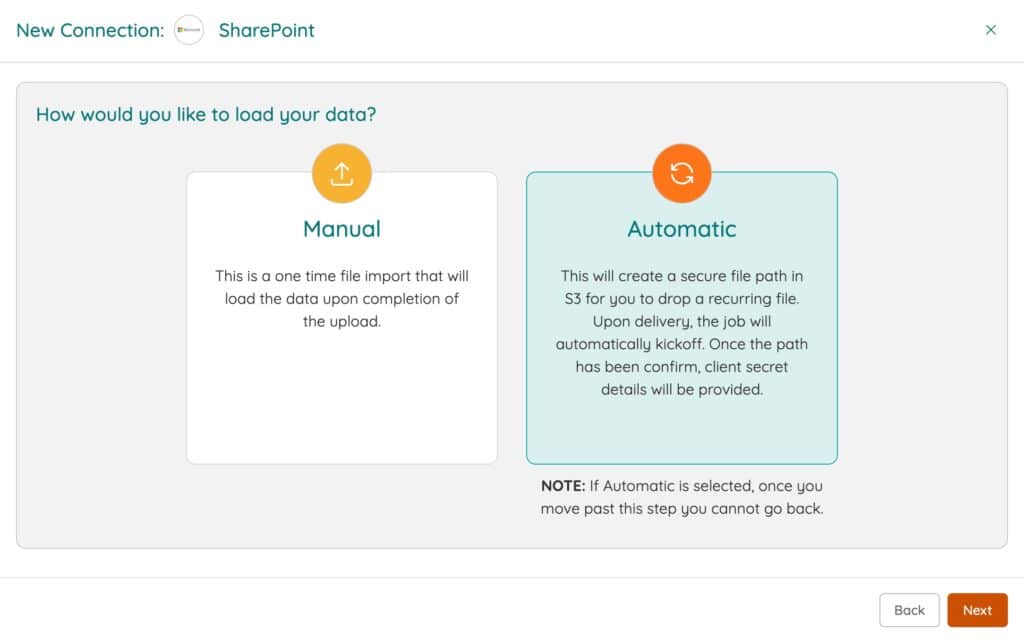
You can set up Usage Connect for an application two ways: manual or automatic. If you manage licenses for an application on a regular cadence, we recommend using the automatic connection so that data is regularly updated.For this tip, we’ll focus on manual connections, with these assumptions:
- A direct integration is not available
- The app is not behind single sign-on
- There are data gaps

Follow these steps to set up a manual connection in Usage Connect.
Step #1: Access Usage Report
Work with your app owners or admins to get a usage report, which typically lives inside the application’s admin panel. For the most part, it's easy for them to download and send that information over.
Step #2: Upload, Map, and Import Your Data
Once you have that report, it's as easy as uploading, mapping, and importing that data. In Zylo, begin by navigating to the Connect page and selecting Add Connection. Zylo will walk you through each step from there.We recommend mapping as many fields as you think you might possibly need. Err on the side of mapping everything, because you never know what somebody downstream might want to see around the usage of an application. Once you map the data, all it takes is a click of a button to upload. It’s important to note that the mapping gets saved. If you ever want to refresh this data in the future, it's already set up for you. All you have to do is push a new file.
What Does Usage Connect Enable Me to Do?
There are several use cases that Usage Connect unlocks for you.
- License Reclamation Workflows. Knowing who is not using a license enables you to pull back inactive users. In short, it helps you avoid renewing shelfware. Check out our tip on how to use Workflows here.
- Sentiment Surveys. Send out a survey to understand the sentiment of your end users about a specific application. Understanding whether they actually like the applications you're providing them is a key data point in deciding if you want to renew.
- Offboarding Insights. Former employees pose a security risk if they still have access to your tools. Zylo identifies if users were missed in your offboarding processes, highlighted as an insight on the Licenses tab. You can see users who are no longer in your HRIS feed so you can make sure you're also pulling back those seats.
Check out the Knowledge Base for more best practices and reach out to your CSM if you have any questions. They’re here to help! Stay tuned for our next tip, where we'll talk about benchmarking 60 days before renewal.