Zoom License Cost 2026: Which Plan Offers the Best Value for Your Team?


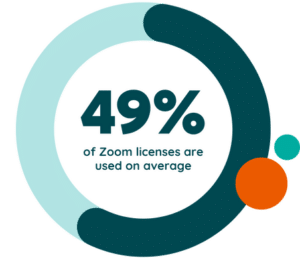
Zoom has become a core tool for hybrid work, but choosing the right license in 2026 is not as simple as picking a meeting plan. The cost of Zoom licenses varies by user type, features add up fast, and a single unused seat can quietly drain your budget all year. But we’re not talking about a seat here or there—half of Zoom licenses go unused!
You want predictable costs and a platform that fits how your team actually works. For that, you need a clear picture of what each license includes and how the total cost scales.
This guide gives you that clarity. You’ll see how:
- Zoom prices its plans
- Where most organizations overspend
- How to choose the licenses that deliver real value without paying for features you don’t need
Understanding Zoom Licenses in 2026
Zoom licenses define what your users can do—how long they can meet, which collaboration tools they can access, and how your admin team manages them. Costs rise as you add seats or layer on add-ons, so getting the right base plan matters before you scale.
Quick Plan Breakdown
Zoom offers four core plans, each with a different level of meeting capacity, admin control, and collaboration features. Here’s the high-level view to see how the tiers stack up before we dig into the details.
- Basic
- Pro
- Business
- Enterprise
Zoom Workplace Basic
A no-cost option with limited features and shorter meeting durations. Best for occasional users who don’t need hosting privileges or advanced tools.
Zoom Workplace Pro
Designed for individuals or small teams that need longer meetings, more storage, and access to AI features.
Zoom Workplace Business
Adds more administrative controls, higher participant limits, and tools sized for growing teams.
Zoom Workplace Enterprise
Pricing depends on the number of users, advanced compliance needs, and enterprise-level support.
Key Add-Ons That Affect Total Cost
Zoom Rooms, Zoom Phone, and Zoom Webinar plans sit outside the core licenses, and each follows its own pricing model. These add-ons can materially increase your annual spend as your environment scales.
Is Zoom Free?
Yes. Zoom offers a free tier, but you need to know exactly what you get and what you don’t. That clarity matters if you’re trying to run a business on a tight budget or want to avoid surprises when your team needs grow.
What’s Included in the Free Zoom Plan: The Benefits
With the free (Basic) plan:
- You can host group meetings with up to 100 participants.
- One-on-one meetings are unlimited.
- Group meetings you host have a 40-minute time limit.
- You can use essential meeting features like video, screen sharing, and chat, which are often enough for quick calls or simple internal check-ins.
What’s Not Included in the Free Zoom Plan: The Disadvantages
Here are limitations to watch out for if you rely on the free plan:
- Group meetings end after 40 minutes, interrupting longer sessions and potentially affecting productivity.You cannot host meetings larger than 100 participants.
- You miss out on premium features such as cloud recording, expanded storage, admin controls, AI tools, reporting, and enterprise-grade collaboration features.
- For a growing organization, the free tier becomes restrictive quickly and often leads to inconsistent meeting experiences.
Zoom Costs and Price Increases
Zoom’s pricing has shifted over the last few years, and these changes matter if you’re planning long-term usage or negotiating a renewal. The annual cost of the Pro plan increased in 2024, and many organizations saw additional adjustments at renewal, especially at higher seat volumes. Some accounts experienced increases ranging from modest bumps to more substantial jumps, depending on features, license mix, and contract terms.
These fluctuations show why it’s important to monitor your Zoom contract closely. As your environment grows, even small changes per license can add up fast. That’s especially true when add-ons are involved or seat counts increase. Organizations that track usage patterns and stay proactive during renewals are far better positioned to avoid unexpected budget impacts.
Zoom Pricing Plans—What Each License Costs in 2026
Choosing the right Zoom plan focuses on paying the right price by matching features to your team’s actual needs. Each tier unlocks different meeting capacities, admin controls, AI tools, and storage options. As your environment grows, these differences start to shape both cost and productivity.
Here’s how each plan works, what’s included, and when it makes sense to upgrade (or downgrade) users into a different tier.
Zoom Plan Pricing Comparison
Zoom Workplace Basic
Basic is built for users who only need occasional access. It’s ideal for people who rarely host meetings but need to join them. This includes contractors, seasonal staff, interns, or anyone who uses Zoom only as a participant.
When Basic Works:
You have users who don’t need hosting rights, long meetings, cloud recording, or admin-managed settings. These users don’t justify a paid license and shouldn’t occupy one—a common source of wasted spend in unmanaged Zoom environments.
When Basic Falls Short:
As soon as a user needs to host recurring meetings, run longer sessions, or rely on recordings, the free tier becomes a blocker. The 40-minute limit disrupts teamwork, onboarding sessions, customer calls, and internal standups.
Who Should Be Downgraded to Basic:
Any paid user who hosts few or no meetings should move here. Given that half of Zoom licenses go unused, a significant portion of paid licenses fall into this category when there’s a usage audit.
Zoom Workplace Pro
Pro is the first paid tier that supports consistent meeting schedules, longer calls, and everyday collaboration workflows. Current list price is $13.33 per user per month, or $159.96 per user per year.
When Pro Is the Right Fit:
Choose Pro for users who host internal meetings, client calls, or recurring sessions. It supports longer meetings, provides more storage, and offers AI capabilities that help summarize discussions and keep teams aligned.
Key Value Drivers:
- Full-length meetings
- Essential administrative controls
- Access to AI Companion features
- Suitable for frequently collaborating individuals or small teams
When Pro Becomes Limiting:
If teams regularly host larger meetings, need stricter oversight, or require higher participant caps, Pro won’t be enough. At that point, Business becomes more cost-efficient despite the price difference.
Who Should Be Upgraded from Basic to Pro:
Any user who regularly hosts meetings, leads recurring sessions, or manages client or vendor conversations.
Zoom Workplace Business
Business provides stronger administrative tools and higher participant capacity. It’s built for growing teams that need consistency, control, and reliable collaboration tools across departments. Current list price is $18.33 per user per month, or $219.96 per user per year.
When Business Makes Sense
Use this tier when users:
- Host larger or customer-facing meetings
- Need standardized branding or enhanced workspace controls
- Require recording management or departmental oversight
- Participate in training, onboarding, or cross-company events
Key Value Drivers:
- Higher participant limits
- Expanded admin controls
- Consistent settings across teams
- Better fit for functional groups like HR, sales, support, and training
When Business Becomes Unnecessary:
If teams don’t exceed Pro’s participant limits or need its admin capabilities, Business may over-deliver relative to each seat’s usage—meaning you’re paying for functionality that doesn’t benefit those users.
Who Should Move to Business:
Team leads, trainers, customer success staff, sales managers, onboarding teams, and anyone running larger or more complex meetings.
Zoom Workplace Enterprise
Enterprise is for organizations with large seat counts, strict compliance requirements, or meeting demands that exceed standard tiers. Pricing is not publicly listed and depends on volume and configuration.
When Is Enterprise the Right Decision?
You need this tier when:
- You run large training programs or company-wide broadcasts
- You must meet strict compliance or data governance standards
- You need enterprise-level support, SLAs, or dedicated success resources
- You manage thousands of users or complex role-based structures
Why Some Teams Downgrade from Enterprise:
Organizations sometimes shift back to Business or a Business/Pro mix when usage patterns change or advanced capabilities are no longer required—a meaningful cost-saving opportunity when monitored correctly.
Zoom Rooms Pricing Plans and How Costs Scale in 2026
Zoom Rooms is a dedicated, hardware-based meeting environment built for shared spaces—not individual users. It requires its own licensing model, and because each physical room carries a separate license, overall spend grows as your room footprint expands. Zoom Rooms works differently from Zoom Meetings, so understanding these differences helps you choose the right configuration for your hybrid workspace.
What Are Zoom Rooms?
Zoom Rooms licenses cost $41.58/Room/Month. They transform conference rooms, huddle spaces, training rooms, and open collaboration areas into fully managed meeting environments. A Zoom Room:
- Has hardware that runs only Zoom software, with no competing applications
- Is tied to a bookable calendar resource
- Has a consistent, predictable interface regardless of location
- Supports one-tap join, digital signage, whiteboarding, and room scheduling
- Allows IT to manage hardware, updates, and configuration centrally
- Uses dedicated compute, camera, microphone, and control hardware optimized for group collaboration
Zoom Rooms also integrates with a wide range of hardware, such as:
- Displays
- Cameras
- Microphone arrays
- Room controllers
- Touch boards
- Scheduling panels
This allows customization for everything from small focus rooms to large boardrooms or even broadcast studios. The Conference Room Connector add-on is $49/month and enables any standards-based SIP/H.323 video conferencing endpoint for more effective hybrid work.
When Organizations Upgrade to Zoom Rooms:
- Multiple teams share meeting spaces and require predictable performance
- IT needs centralized configuration and monitoring of the room hardware
- Rooms host customer-facing or executive meetings where reliability is non-negotiable
- Meeting spaces are repurposed into hybrid collaboration hubs with whiteboarding and signage
When Organizations Should Avoid or Downgrade Zoom Rooms:
- Spaces and rooms are rarely booked
- A department no longer needs standardized, bookable spaces
- Usage drops after hybrid work policy changes
Duration and Renewal of Zoom Room Licenses
Zoom Rooms licenses are billed annually and renew on the contract schedule set at purchase. Because licenses are often tied to physical spaces, renewals often create complications if conference rooms are repurposed, underused, or removed during an office redesign.
Key considerations for renewal cycles:
- Unused or underutilized rooms often carry active licenses that quietly auto-renew.
- Hybrid work reductions can leave entire room fleets paid for but rarely used.
- Adding hardware-capable rooms without updating the license count can create mismatches in usage and spend.
- Enterprise agreements may include automatic tier scaling, so it’s vital to verify seat counts and pricing before renewal.
Many organizations waste money by renewing Zoom Rooms licenses they no longer need—or by forgetting to reassign licenses when rooms change purpose. Tracking real utilization and reassessing your room footprint before renewal helps avoid unnecessary spend.
Zoom Phone Pricing Plans And How Costs Change In 2026
Zoom Phone brings enterprise calling, SMS, and PBX features into the Zoom Workplace ecosystem. Pricing varies depending on whether you choose a metered plan, an unlimited domestic plan, or bundles like Pro Plus and Business Plus. Because each user receives their own license, total spend rises quickly as teams grow or roles change.
Zoom Phone System Capabilities
All Zoom Phone plans support core business calling features:
- Domestic calling (unlimited or metered)
- SMS/MMS
- Cal routing
- Voicemail
- Auto attendants
- Call recording
- Integrations with Salesforce, Slack, Contact Center, Microsoft, and Google
- Centralized management through a single admin portal
Users can make and receive calls across multiple devices, including desktops, mobile devices, and approved desk phones.
Calling Plan Differences
Zoom offers a clear set of options that scale based on calling behavior.
US & Canada Metered — $10/user/month
Includes all core calling features with outbound domestic calling billed per minute. Best for low-volume callers who rely primarily on meetings or messaging.
US & Canada Unlimited — $15/user/month
Includes everything in Metered, plus unlimited domestic outbound calling in the U.S. and Canada. International calls remain metered unless an add-on is applied.
International Calling Add-On — $10/user/month
Enables unlimited international calling to more than 15 countries and regions. Must be paired with any Zoom Phone plan.
Bundled Workplace + Phone Plans (Pro Plus and Business Plus)
Zoom bundles allow teams to combine their Zoom Workplace plan with Zoom Phone to reduce complexity and unify communication tools.
Pro Plus
Includes everything in Zoom Workplace Pro and Zoom Phone Unlimited. This upgrade eliminates domestic metering and simplifies communication for everyday callers.
Business Plus
Includes everything in Zoom Workplace Business and Zoom Phone Unlimited, plus domestic online fax (unlimited). This tier is appropriate for structured teams that need broader administrative controls and fax capabilities.
When Upgrades or Downgrades Make Sense
Upgrade when:
- Users regularly exceed metered domestic minutes
- Calling is essential for sales, support, or service workflows
- International calling is frequent enough to justify the add-on
- You want a unified platform for meetings, chat, and voice
Downgrade or skip Zoom Phone when:
- Your organization maintains a physical PBX or external phone provider
- Some employees rarely place outbound calls
- Phone-based workflows decrease due to role or team changes
- Usage data indicates unnecessary unlimited plans or bundles
- Right-sizing Phone licenses is one of the fastest ways organizations find savings within collaboration budgets.
Zoom Phone Add-Ons
Zoom Phone offers optional enhancements that increase flexibility for teams with specialized needs.
Desk Phones & Headsets
- Zoom Phone Required
- Certified hardware for reliable performance and seamless setup.
Zoom Phone Power Pack — $25/month
- Zoom Phone Required
- Provides enhanced call-queue analytics and historical insights for high-volume teams or call-center environments.
Additional Phone Numbers — From $5/month
- Zoom Phone Required
- Add local, toll-free, or international premium numbers.
International Calling — $10/month
- Zoom Phone Required
- Unlimited international calling to more than 15 countries and regions.
Zoom Webinar & Events Pricing and What It Means for Your Use Cases
Zoom structures its webinar and event pricing around attendee capacity, with separate tiers for Webinars, Webinar Plus, Zoom Events, and pay-per-attendee models. These plans bill per month on annual contracts, and each higher tier reflects the maximum live audience you expect.
Zoom offers monthly subscriptions for all Webinar and Events products, but they cost more per month than annual contracts. For organizations that regularly use webinars throughout the year, annual billing delivers meaningful savings.
Short-term monthly plans only make sense when:
- You are hosting a one-time or very short-term event
- Your usage window is narrow (e.g., a single webinar series)
- You want the flexibility to cancel immediately
Webinar Capacity Tiers
Zoom’s standard Webinar plans support structured, presenter-led sessions. Pricing below reflects per-month rates billed annually, with the yearly cost shown for context.
Webinar Capacity Pricing
Webinar Plus Capacity Tiers
Webinar Plus adds advanced branding tools, higher production quality, and enhanced analytics. Pricing again reflects per-month rates billed annually.
Webinar Plus Capacity Pricing
Webinar Plus plans also offer a per-attendee pricing model:
Unlike fixed-capacity tiers, pay-per-attendee pricing charges are based on unique attendee count rather than assumed capacity. This can reduce costs for organizations with unpredictable attendance.
Webinar Plus Per-Employee Pricing
Zoom Events Capacity Tiers
Zoom Events supports multi-day and multi-session conferences, expos, and virtual summits. Pricing below reflects annual billing.
Zoom Event Capacity Pricing
Zoom Events also offers a per-attendee pricing model:
This is a subset of Zoom Events pricing and is ideal for teams running occasional or variable-size events where traditional capacity tiers may result in overspending.
Zoom Events per Employee Pricing
Tips for Choosing the Right Zoom License
Choosing the right mix of Zoom licenses requires balancing functionality, usage patterns, and cost. The goal is to match users with the lowest license tier that still fully supports their workflow, while avoiding unnecessary upgrades or broad, blanket assignments that drive up spend. Getting this right improves adoption, reduces waste, and makes renewals far easier to manage.
Assessing Your Needs
Start by identifying who actually needs each type of Zoom capability. Not every user requires hosting rights, large meeting capacities, phone functionality, or webinar tools. Reviewing real-world activity helps clarify which users benefit from higher tiers and which can be safely assigned lower-cost options.
Look at:
- Hosting frequency
- Meeting length
- AI usage
- Meeting capacity
- Department-specific workflows
Who may need more capabilities:
- Sales
- Support
- Training
- Leadership teams
Who may not need paid capabilities:
- Contractors
- Occasional collaborators
- Internal-only participants
The clearer your usage patterns, the easier it becomes to right-size your license mix.
Budget Considerations
Once you understand how each team uses Zoom, map those needs to your budget. Each of these features seem modest on their own, but quickly increases costs:
- Larger meeting capacities
- Webinar tiers
- Zoom Phone bundles
- Large Meetings
- Phone Power Pack
- extra phone numbers
- Higher AI usage
These features can rapidly inflate spend when provisioned broadly rather than selectively.
Review where annual billing offers a lower total cost and where monthly billing makes sense for short-term needs. Plan ahead for capacity increases tied to events, onboarding waves, or seasonal staffing. The best approach is a blended license strategy: invest where capabilities matter most, and scale back where usage data shows limited activity.
3 Cost-Saving Strategies for Your Zoom License
Zoom’s flexible licensing model is powerful, but it also makes overspending easy—especially when licenses are assigned broadly, upgraded prematurely, or renewed without reviewing actual usage. Operationalizing renewal management helps eliminate waste and ensures each team receives only what they truly need. Visibility tools like Zylo can automate much of this analysis, giving you real-time insights into usage, adoption, and renewal trends.
Monitor Actual Usage
Real-world usage often looks different from assumptions made during procurement or renewal. Teams may request large meeting capacities, Business Plus bundles, or webinar tiers based on perceived needs rather than data. Over time, workflows evolve, meaning once essential licenses may no longer justify their cost.
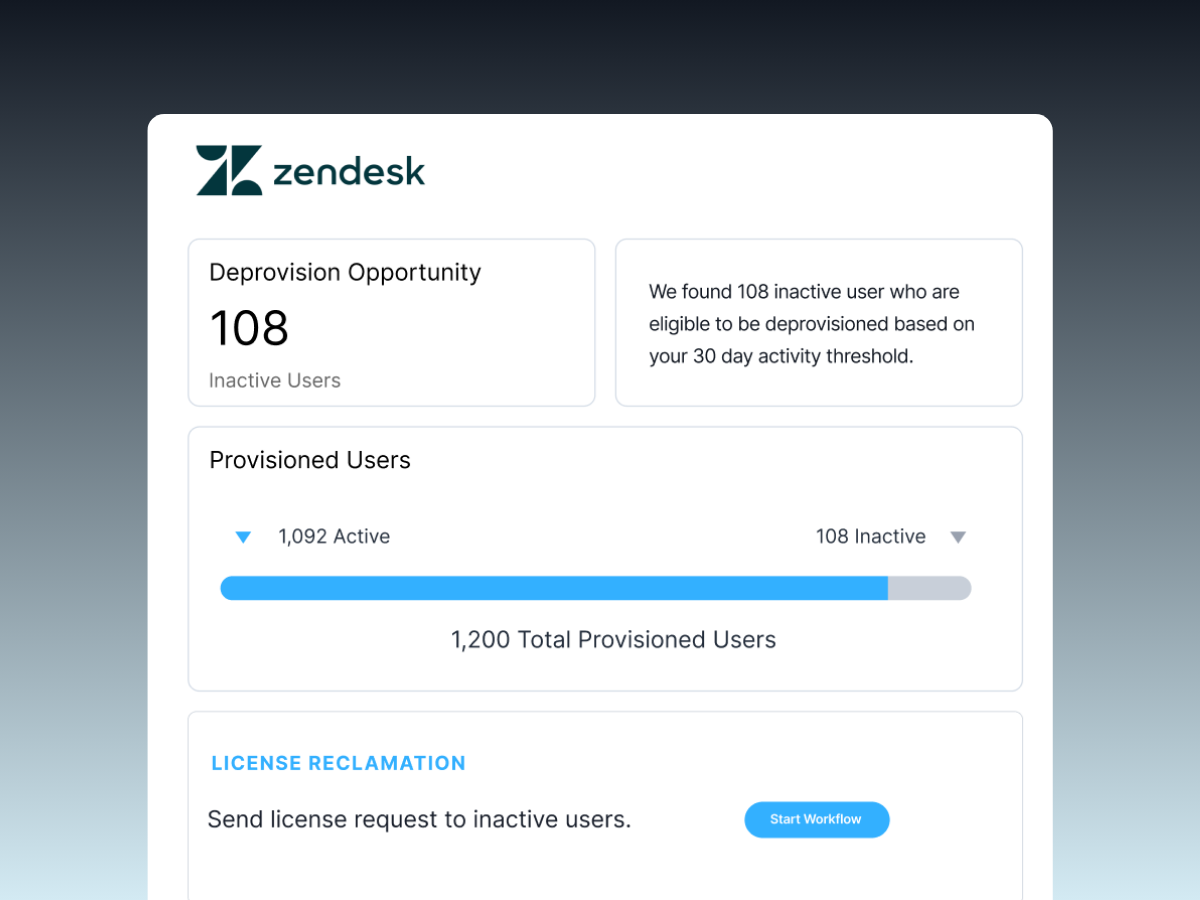
Zylo unifies license, usage, and financial data in one system of record, helping you surface:
- Which users have which Zoom licenses
- How often those licenses are actually used
- The duration of each meeting per user
- Where the costly Webinar add-on is underutilized
This allows IT, finance, and procurement to reassign or downgrade licenses proactively rather than reacting to renewal cycles. Continuous visibility ensures that seats, add-ons, and phone plans remain aligned with actual behavior.
Rightsize Your License Mix at Renewal
The fastest way to reduce Zoom spend is to match users with the lowest-cost license that meets their requirements. This is only possible at renewal, so that’s why it’s so important to come prepared.
Many organizations discover that a significant percentage of their Pro, Business, or Phone seats go unused or underused. Shifting low-activity users to Basic, Metered Phone, or lower-capacity meeting tiers can immediately reduce licensing costs.
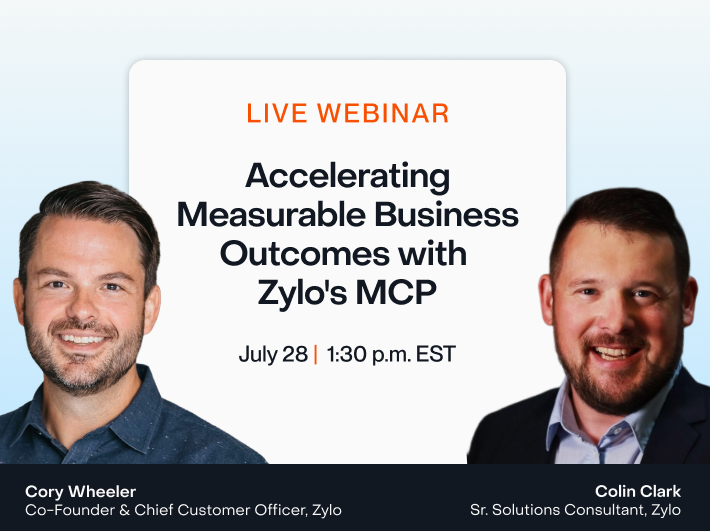
The video below provides insights on reclaiming and downgrading Zoom licenses.
Manage Add-Ons and High-Cost Tiers
Add-ons such as Large Meetings, Zoom Webinar capacity tiers, Phone Power Pack, unlimited fax, or international calling can multiply spend quickly when provisioned to broad user groups. These capabilities often matter only to a small portion of your workforce.
Use actual usage data to ensures add-ons are assigned intentionally, so users that would benefit from advanced features have them and users that don't use them get downgraded access. This helps remove unnecessary charges and makes it easier to spot cost creep from unused webinar tiers, oversized event capacities, or rarely accessed phone upgrades.
Choose The Right Strategy for Long-Term Savings with Zylo
Optimizing Zoom spend requires more than selecting the right plan. Costs scale quickly when licenses are upgraded without clear justification, add-ons are assigned broadly, or usage goes unmonitored. When you have real visibility into how teams use meetings, phone, webinars, and events, you can right-size licenses, identify waste early, and negotiate renewals from a position of strength. Zylo provides the usage intelligence and lifecycle management needed to keep your Zoom environment efficient, predictable, and aligned to actual demand.
If your organization wants to control collaboration spend, eliminate unused licenses, and build a more strategic approach to Zoom procurement, Zylo helps you get there with data-driven insights across every stage of the license lifecycle. Request a demo today!
Frequently Asked Questions About Zoom License Costs
Zoom pricing varies by product, seat count, meeting capacity, and whether your organization purchases standalone licenses, Phone bundles, or webinar tiers. These answers help clarify common questions IT, procurement, and finance teams encounter when evaluating Zoom contracts.
Pricing depends on the plan. Workplace licenses such as Pro, Business, and Enterprise are billed per user, with costs increasing as meeting capacity, administrative controls, and collaboration features expand. Webinars, Events, and Zoom Phone require separate licenses or add-ons. Prices also differ based on whether you choose monthly or annual billing.
It depends on your usage. For teams that host regular meetings, collaborate across functions, or require voice and event capabilities, paid Zoom licenses provide strong value. However, many organizations overspend by assigning higher-tier licenses where they aren’t needed. Tools like Zylo help evaluate real usage so you only pay for licenses that truly support your workflows.
The free Basic license remains the lowest-cost option for users who only need to join meetings and rarely host. For teams with light voice needs, Metered Phone plans help reduce spend. Choosing annual billing instead of monthly lowers total cost. Using Zylo to identify low-use or inactive licenses ensures you avoid paying for unnecessary upgrades.
Zoom Pro pricing is billed per user and varies depending on monthly or annual subscription choices. Annual rates offer a lower total cost for organizations with steady usage. Pricing increases if additional capabilities such as Phone, Large Meeting, or Webinar tiers, are added.
Zoom occasionally offers trials for certain products, including premium meeting features or Zoom Phone. Trial availability varies and may require an access request. These trials allow organizations to evaluate features before committing to a paid plan.
Yes. You can cancel a monthly subscription at any time. Annual plans can also be canceled, but refunds or credits depend on contract terms. Monthly plans offer greater flexibility, while yearly plans reduce overall cost, so the right choice depends on usage predictability.
Zoom provides custom pricing for high-volume Webinar tiers, large-scale Events, and Enterprise agreements. These plans often include tailored feature sets, advanced support, or negotiated discounts based on the number of seats or total contract value.
Zoom offers Workplace licenses (Basic, Pro, Business, Enterprise), Zoom Phone plans (Metered, Unlimited, bundled options), Webinar and Events capacity-based tiers, and a pay-per-attendee model for organizations that host variable-size events. Each license supports different use cases, so organizations often use a mix of types.
Access depends on your organization’s administrative settings. By default, hosts can manage their own cloud recordings, but admins can control retention policies, sharing permissions, storage locations, and department-specific rules. Centralized oversight ensures compliance and security.
Yes. Annual billing offers a lower total cost compared to month-to-month plans. This structure benefits teams with consistent usage patterns. Month-to-month billing is typically more expensive and should only be used when flexibility is a priority.
Pro supports smaller teams and individual users who need full hosting capabilities. Business adds administrative controls, higher meeting capacity, managed domains, and additional collaboration features, making it more suitable for growing or structured departments.
Yes. Zoom allows upgrades, downgrades, and reassignment. Organizations often reassign licenses during onboarding, role changes, or cost reviews. Zylo streamlines this by identifying which users need higher-tier licenses and which can be safely downgraded.
Monthly plans cost more over time but offer flexibility. Annual plans cost less overall and are the standard choice for long-term usage. Choosing between them depends on whether your teams need year-round collaboration tools or temporary access for specific projects.
Zoom includes encryption, meeting controls, authentication tools, and administrative security features. Enterprise-tier settings support compliance and governance requirements. Security depends on using these controls effectively, so organizations often define policies for passwords, waiting rooms, and recording management.
Zoom integrates with Salesforce, Slack, Microsoft 365, Google Workspace, Contact Center platforms, learning tools, and a wide range of business applications. These integrations strengthen collaboration and streamline workflows across teams.