What Is Shadow AI? How to Find It in Your SaaS Spend and Get It Under Control


Updated on October 15, 2026 with new stats.
Shadow AI is the use of AI tools, features, or agents within an organization without IT, security, or procurement's knowledge or approval. It shows up first in the places you already track spending: expense reports, corporate cards, and AI features enabled inside software you already pay for.
That financial trail is where shadow AI becomes visible, and it reveals what security tools alone can’t. As of 2026, AI is entering companies through the same channels IT finds hardest to monitor. According to Zylo's 2026 SaaS Management Index, 16% of the 50 most-expensed applications (8 of 50) are now AI-native tools like ChatGPT, Claude, and Cursor, which puts AI among the most common purchases employees charge to a card before anyone approves it. The lesson for IT and security teams is that the earliest signal of shadow AI is financial, not technical.
This guide shows you what shadow AI is, where it hides in your spend, the risks that matter, and how to find and govern it without resorting to a blanket ban.
What Is Shadow AI? (And Where It Actually Shows Up)
Shadow AI follows the same pattern as shadow IT: unapproved software entering the business, now moving faster because AI is cheap to start and increasingly built into tools you already own. It's the AI version of shadow IT: the same pattern of unapproved software entering the business, now moving faster because AI is cheap to start and increasingly built into tools you already own.
Shadow AI usually takes one of three forms:
- The canonical case: an employee pastes customer data or source code into a public chatbot to work faster.
- The expensed case: a team puts OpenAI ChatGPT or Anthropic Claude on a corporate card, starting with a free tier and upgrading to paid seats.
- The invisible case: an AI add-on gets switched on inside an approved platform, such as Microsoft 365 Copilot or Salesforce Agentforce, and shows up as a line item at renewal.
Only the canonical case looks like the stereotype. The other two look like ordinary spending, which is exactly why they go unnoticed. Recognizing all three forms matters, because a policy written only for the public-chatbot case leaves the expensed and embedded forms free to grow.
Shadow AI vs. Shadow IT: What's Different
Shadow AI is a subset of shadow IT, but it behaves differently enough to need its own playbook. The table below shows where the two diverge.
Shadow AI is the newest wave of shadow purchases, and two things drive it. Most AI tools have a free tier, so adoption needs no budget approval to begin. And AI features now arrive inside software you already own, so a tool can become an AI tool overnight without anyone buying anything new. That combination is why watching only for new purchases misses the shadow AI that arrives as a feature inside tools you already have.
Where Shadow AI Hides: What the Spend Data Shows
Shadow AI leaves a financial footprint long before it leaves a security one, and your spend data is your best early-warning system.
The scale of the shift is hard to overstate. Zylo’s recent analysis shows spending on AI-native software surged 334% year over year, and jumped 507% among enterprises with more than 10,000 employees. At that pace, the AI tools entering your organization this quarter could outnumber anything your last audit captured.
Here are the five places that spending surfaces, usually before IT sees it:
- Expense reports and corporate cards: ChatGPT is now the most-expensed application by transaction count, which means the single most common thing employees put on a card is an AI tool bought outside procurement.
- Free tiers that convert to paid seats: a tool starts as a free account for one person, then quietly becomes a paid team plan on someone's card once a few colleagues join.
- AI features toggled on inside approved SaaS: spending on SaaS applications with AI functionality rose 143% year over year, so a tool you already approved can start billing you for AI you never evaluated.
- Consumption overages at renewal: usage-based AI pricing means the bill arrives after you use it, so an AI feature's true cost often appears for the first time as a renewal increase.
- Agents and integrations built on approved tools: an AI agent or integration (a Copilot workflow or an Agentforce action) runs on a platform you sanctioned, so it inherits that platform's approval without a review of its own.
Together, these hiding places contribute to AI sprawl: a steady accumulation of AI tools, features, and agents that no single team can see in full. AI was the fastest-growing application category in 2025, with the number of AI apps in the average portfolio up 181% in a single year. Each addition looks minor on its own, but together they create a portfolio where no one can confidently say which AI tools are in use, who owns them, or what they cost.
The Real Risks of Shadow AI
Shadow AI creates risk exposure in five areas, and each one costs more the longer the tool stays invisible.
Data Breaches and Security
Unapproved AI tools widen your data-exposure surface, and the breaches cost more. Breaches involving high levels of shadow AI cost an average of $670,000 more than those without, according to IBM's 2025 Cost of a Data Breach Report, partly because these incidents take longer to find and contain. The gap is visibility: you can't contain a breach that involves a tool you didn't know existed.
Noncompliance with Regulations
Shadow AI puts regulated data into systems that were never assessed for compliance. Tools adopted outside review can breach the EU AI Act, GDPR, the NIST AI Risk Management Framework, and ISO 42001 before anyone knows the data left approved systems.
Financial Implications
Shadow AI drives unbudgeted cost and duplicate spend that are difficult to forecast. In Zylo's own survey of IT leaders, 78% encountered unexpected charges tied to consumption or AI pricing in the past year. Duplication makes it worse. Generative AI is now among the top 10 most redundant application functions, with the average organization running nearly 7 overlapping generative AI tools that separate teams bought on their own.
Misinformation and Biased Outputs
Ungoverned AI can feed inaccurate, biased, or hallucinated output straight into business decisions. Without review of the tool or its prompts, there's no check to ensure the answers are right before someone acts on them. A hallucinated figure in a board deck or a biased screening model can do real damage well before anyone traces it back to an unapproved tool.
Reputational Damage
Some AI vendors’ terms let them train their models on the data you submit, turning a convenience into a contractual and reputational problem. The fallout is concrete: proprietary code or strategy entered into a consumer AI tool can sit on the vendor’s servers and resurface in another user’s output, the concern that led Samsung to ban generative AI on company devices after engineers pasted semiconductor source code into ChatGPT. The same exposure can breach a client’s data-handling terms, cost you the account, trigger breach-notification duties, or route regulated data somewhere you’re then obligated to disclose.
Why Shadow AI Happens
Shadow AI takes hold for four predictable reasons, and most of them have nothing to do with employees trying to skirt the rules.
AI tools are free or cheap to start. Most have a no-cost tier, so an employee under deadline pressure can adopt one in seconds without asking anyone. In BlackFog's 2026 research, 86% of employees use AI tools at least weekly for work, and 58% of those using unsanctioned tools rely on free versions that may lack enterprise security.
Purchasing is decentralized. In the average organization, IT is responsible for just 15% of software spend and 13% of applications, so most software (and most AI) enters through teams and individuals, not a central gate.
Approved software keeps adding AI features. Vendors switch on AI add-ons inside tools you already use, so new AI capability appears without a new purchase or review. A platform you vetted last year can introduce a generative assistant this year and carry your existing approval, even though no one evaluated the AI itself.
There's no policy, or no way to enforce one. Many organizations have no AI-use policy at all, and those that do often can't see which tools are in use, so the policy has nothing to act on.
How to Detect Shadow AI: Four Methods (and What Each One Misses)
Four methods find shadow AI, and each one has a blind spot. Combining them gives the most complete picture.
Financial Discovery: Expense Reports, Corporate Cards, and AP
Financial discovery finds shadow AI by reading the money trail across expense reports, corporate cards, accounts payable, resellers, and marketplaces. It’s highly effective because, on average, about 45% of applications enter the organization through expenses alone. AI-native tools and LLMs get categorized as soon as they appear in that data. However, it misses any tool without a financial footprint, such as a free personal account. Finance, procurement, and IT typically own this method.
Identity and SSO Logs
Single sign-on logs show which approved applications employees log into, and when. The limit is coverage: organizations secure only about 21% of their applications behind SSO, so this method sees only the tools connected to it and misses anything accessed with a personal login. Identity and IT teams own it.
Network and Browser Telemetry
Network and browser monitoring catches AI destinations and traffic as they cross managed devices and networks. It's strong for live web use but blind to personal devices, off-network activity, and anything accessed outside the corporate perimeter. Security teams own this method.
Direct Integrations with AI Vendors
Connecting directly to AI vendors (OpenAI, Anthropic, and the AI features inside approved platforms) gives visibility into token use, API consumption, and AI add-ons billed inside existing tools. It catches sanctioned and semi-sanctioned AI spend in detail, but only for vendors you've integrated. Product and solutions teams own it.
No single method is complete. A SaaS management platform finds what leaves a financial or contractual footprint; a security or network tool finds what crosses the network. Neither one catches an employee using a free personal AI account with no spend and no login. Start with the data you already have, then layer the others to close the gaps. Financial discovery offers the broadest first pass because almost every paid tool leaves a transaction trail, and identity, network, and vendor data fill in what spend alone can't show.
How to Govern Shadow AI Without Banning It
Companies manage shadow AI risk by gaining visibility into what's in use, then deciding, tool by tool, what to restrict, monitor, or bring onto a managed contract. A blanket ban rarely works because employees route around it as soon as an approved option isn't available.
The restrict/monitor/adopt framework turns that stance into action:
Around that framework, a few policy essentials do the governing:
- An approved-tools list, so employees know what’s sanctioned.
- Data-classification rules, so people know what they can and can’t put into a tool.
- A request path, so a new need has a legitimate route in.
- Spend caps by department or job function, which a growing number of companies use to keep usage-based costs from creeping.
Each rule serves the same purpose: give employees a faster, legitimate path than the shadow one, so the approved option becomes the easy default.
Most organizations should not ban AI outright. In BlackFog's research, 63% of employees say it's acceptable to use AI without IT oversight when no company-approved option exists. Hence, a ban without an alternative simply pushes the behavior further into the dark.
A narrow restriction makes sense only for specific tools or specific data. Block the tools with genuinely weak data terms and the uses that touch regulated or sensitive data. Then give employees a safe, approved path for everything else.
Who Should Worry Most About Shadow AI (and Who Can Relax)
Shadow AI risk isn't evenly distributed. Your exposure depends on how you buy software, what you're regulated to protect, how your AI contracts are priced, and how mature your SaaS management program already is.
Highest Exposure
You carry the most risk if purchasing is decentralized, you operate in a regulated industry, or you've signed consumption-priced AI contracts where cost scales with use. Low SaaS-management maturity compounds all three, because you can't govern what you can't see. Consumption pricing is the sharpest edge, since a tool you approved can quietly multiply in cost as usage climbs.
Lower Exposure
You can relax somewhat if procurement is centralized, most applications sit behind SSO, and your SaaS management is mature enough to surface new tools quickly. You still need a policy and an approved-tools list, but shadow AI is far less likely to run unseen. Your work shifts from discovery to maintenance: keep the approved list current and watch for new AI features arriving inside the tools you already trust.
How Zylo Finds Shadow AI
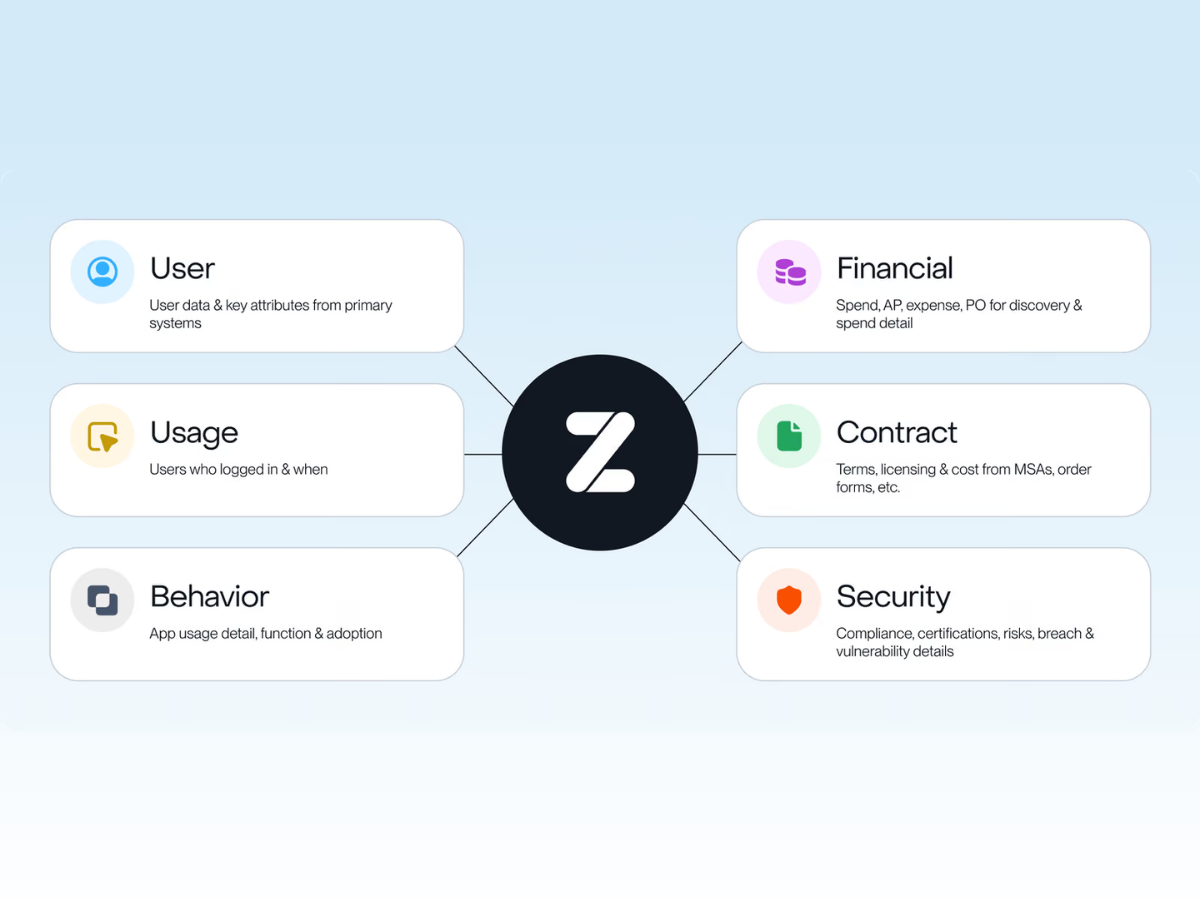
Shadow AI hides in expense reports, SaaS line items, and renewals, so finding it is a visibility problem before it’s a security one. Zylo’s AI-powered Discovery Engine brings those financial sources into one view. The same SaaS discovery model that uncovers unmanaged apps also flags AI-native tools and AI add-ons, then ties each one to the AI cost behind it. That’s how teams surface shadow IT and shadow AI across financial, identity, and operational systems before either turns into a security, cost, or compliance problem.
Shadow AI Is a Familiar Problem, Just Accelerating Faster
Shadow IT was the visibility problem of the SaaS decade: software entered faster than anyone could track it. Shadow AI is the same problem, moving faster and showing up in more places, from expense reports to renewals to features inside tools you already own.
The first step hasn't changed: find it in the data you already have, then decide what to restrict, monitor, or bring onto a managed contract. Getting ahead starts with the visibility to surface shadow IT and shadow AI before it creates cost or risk you didn't choose.
Frequently Asked Questions About Shadow AI
ChatGPT is shadow AI only when employees use it for work without IT or security approval. The same tool stops being shadow AI once the company formally sanctions and manages it, for example through a ChatGPT Team or Enterprise plan under a company contract. The status depends on approval and oversight, not on the tool itself.
The main risks of shadow AI are data exposure, compliance violations, unbudgeted costs, inaccurate or biased output, and contractual exposure from vendor data-training terms. The common thread is invisibility: each risk grows the longer a tool runs without anyone reviewing it.
You avoid shadow AI by finding it in your spend data, setting a clear AI-use policy, and giving employees an approved alternative that's good enough to use. Visibility comes first, because you can't govern tools you can't see.
A common example of shadow AI is a team that expenses ChatGPT or Claude on a corporate card without telling IT. Another is an AI add-on enabled within an approved platform, like Microsoft 365 Copilot, that appears only as a line-item increase at renewal.
Shadow IT is any unapproved technology employees adopt, while shadow AI is the subset involving AI tools, features, and agents. Shadow AI spreads faster because most AI tools have free tiers and because AI features keep appearing inside already approved software.
Companies manage shadow AI risk by gaining visibility into every AI tool in use, monitoring fluctuating costs and usage, and consolidating duplicate purchases under managed contracts. Policy and an approved-tools list give employees a safe path so governance guides AI use instead of banning it.